













TL;DR
Call center software is designed to ensure that businesses can route customer calls correctly and enable agents to respond to their needs appropriately and in a timely manner. Call center software solutions come in several forms, such as inbound, outbound, cloud-based, omnichannel, and AI-powered solutions.
Kapture CX, LiveAgent, Nextiva, and Zendesk are some of the top call center software solutions for businesses looking to improve customer support. Many platforms now include AI-powered tools that can answer routine queries and connect customer interactions with customer relationship management data.
Imagine a customer calling to ask why their order hasn’t arrived. The agent needs to check the delivery status, look at previous conversations, and find a solution. But when different systems store this information, the agent has to switch between multiple tools just to answer a simple question.
This is where call center software helps. It brings customer information, calls, and conversations together in one place. It also helps teams manage customer queries, automate repetitive tasks, and track performance. Most modern platforms also support email, live chat, messaging, and AI assistance.
However, every business has different needs. Some may need a simple calling solution, while others may need advanced features like automation, analytics, and omnichannel support.
In this article, I’ll walk you through 13 call center software solutions in 2026, their key features, and the factors you should consider before choosing one for your business.
What Is Call Center Software?
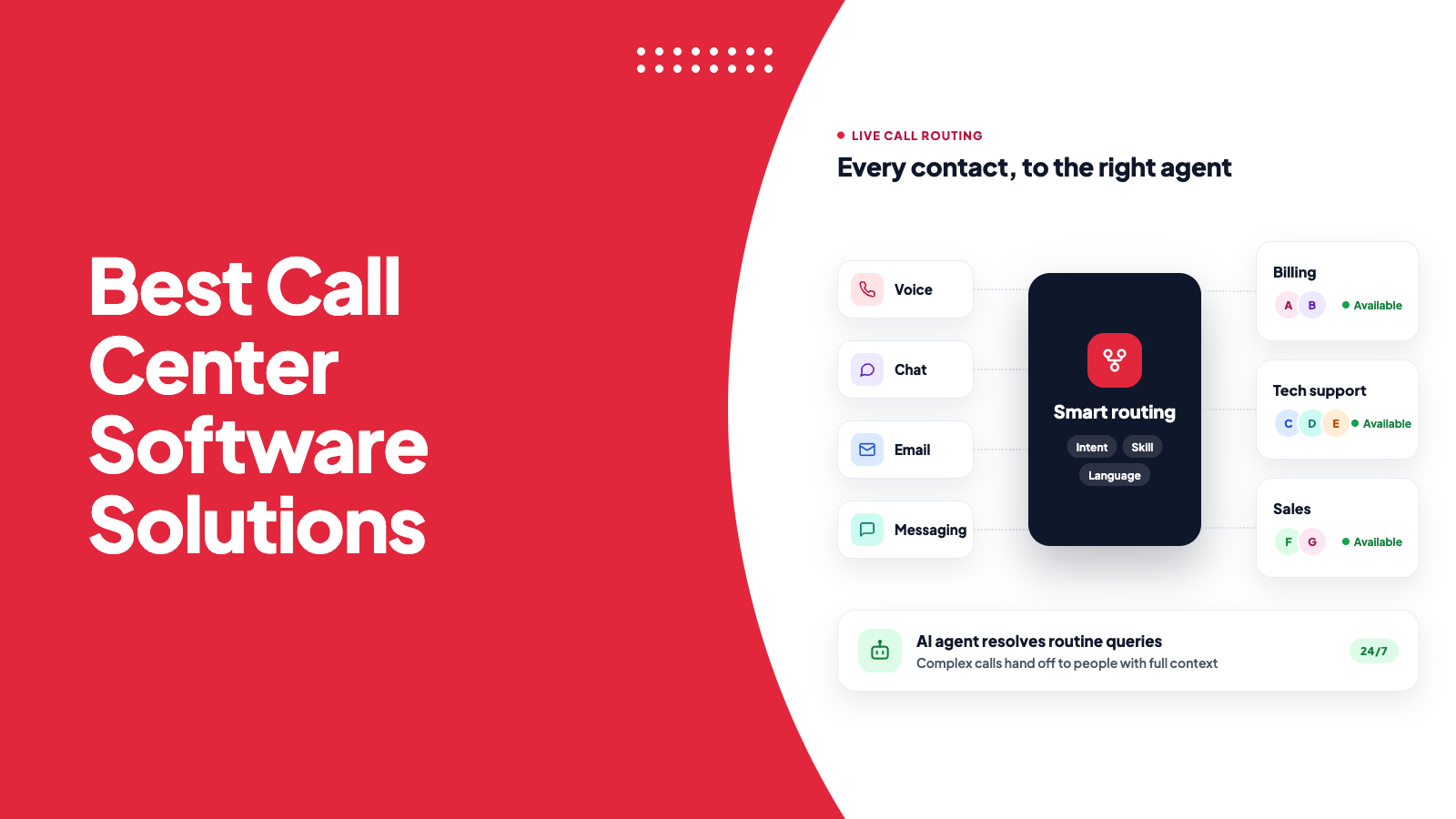
Call center software helps teams manage incoming and outgoing calls without handling everything manually. For example, when a customer calls about a billing issue, automatic call distribution (ACD) routes the call directly to the billing team instead of making the customer wait in a general queue. An interactive voice response (IVR) system takes a different approach. It lets customers choose from a menu, such as checking their account balance or speaking to an agent.
Customers want quick solutions to their problems. According to Verint’s 2026 research, 78% of customers prioritize faster issue resolution over their preferred support channel. This makes call routing and quick access to customer information important for every support team.
Modern call center software also uses AI to summarize conversations, suggest responses, and help agents resolve queries faster. Many platforms also integrate with customer relationship management (CRM) systems. This allows agents to view customer details, previous interactions, and purchase history while handling a call.
Types of Call Center Software Solutions
Call center software comes in different types, depending on how a business handles customer interactions. Some businesses focus on incoming calls, while others make outbound calls or manage customer conversations across multiple channels. Here are the five main types you should know about.
- Inbound call center software: Inbound solutions help teams manage incoming customer calls. For example, when a customer calls about a delayed order, the system can route the call to the right support team. Businesses also use these solutions to handle billing queries, technical issues, and general customer support.
- Outbound call center software: Outbound solutions help agents connect with customers and prospects through phone calls. Sales teams use them to reach potential customers, while support teams handle renewals, payment reminders, surveys, and follow-ups. Automated dialing tools also save agents time by dialing numbers without manual input.
- Cloud contact center software: Cloud-based platforms run on remote servers instead of requiring businesses to install and maintain them on their own systems. They allow agents to work from different locations and help businesses scale their support operations without investing heavily in hardware.
- Omnichannel contact center software: Omnichannel platforms bring customer conversations from different channels into one place. For example, a customer might first email a query and then call the support team for an update. Agents can access the previous conversation and continue helping the customer without asking them to repeat the same information.
- AI call center software: AI-powered platforms use artificial intelligence to automate tasks and help agents handle calls more efficiently. They can record and summarize conversations, suggest responses, answer common questions, and automate repetitive tasks. This allows agents to spend more time resolving complex customer issues.
Call Center Software Comparison at a Glance
The following comparison is a good start in narrowing down your 13 options.
| Tool | Best suited for | Key strengths |
| Kapture CX | Enterprise customer service | Omnichannel workflows, ticketing, automation |
| LiveAgent | Small and growing support teams | Help desk, live chat, built-in call center |
| Nextiva | Business communications and support | Cloud telephony, team communications |
| Zendesk | Customer service teams | Ticketing, voice, connected support workflows |
| Aircall | Sales and support teams | Cloud calling, CRM integrations |
| RingCentral | Businesses consolidating communications | Telephony, messaging, contact center capabilities |
| Genesys Cloud CX | Large contact centers | Omnichannel orchestration, workforce tools |
| Dialpad AI Contact Center | AI-assisted customer service | Transcription, summaries, real-time assistance |
| CloudTalk | Distributed sales and support teams | Dialers, call routing, CRM integrations |
| Talkdesk | Enterprise customer experience | Cloud contact center, AI, industry solutions |
| Twilio Flex | Businesses needing custom workflows | Programmable contact center |
| Five9 | High-volume contact centers | Predictive dialing, routing, analytics |
| Vonage | Businesses needing flexible communications | Contact center, APIs, integrations |
13 Top Call Center Software Solutions
Here are the top call center solutions that you can choose from:
1. Kapture CX
Kapture CX was founded in 2014 as a customer relationship management software company. It shifted to AI-powered customer experience in 2018. Today, this platform serves more than 1,000 clients and has 90,000 plus active users, which makes it one of the best call center management software solutions on the market today.
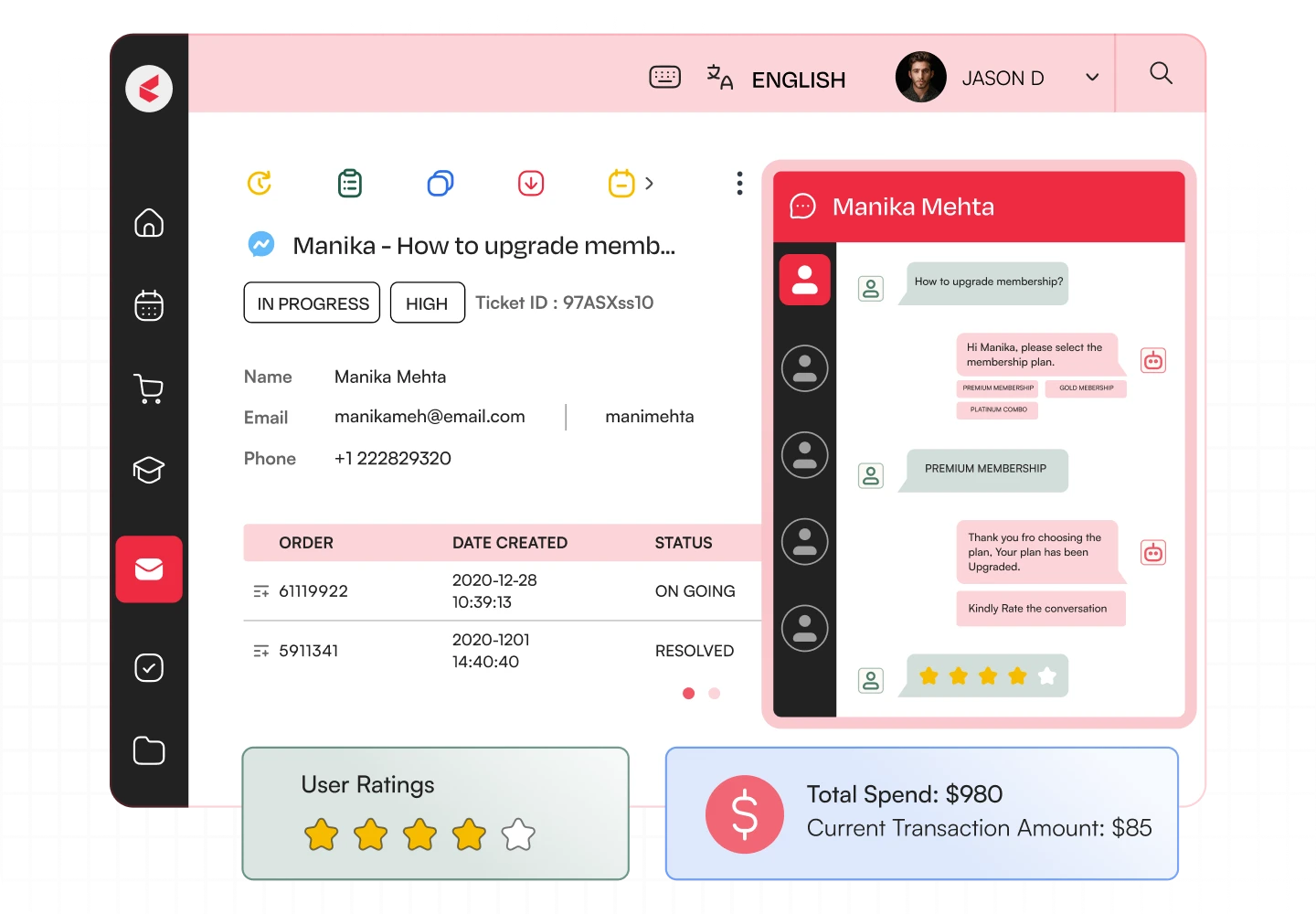
Its contact center software consolidates voice and digital support in one platform where AI agents manage simple queries while humans step in to handle more complex issues with the customer’s history available.
Key features
- A complete omnichannel customer experience solution
- Smart ticketing and routing where you can assign queries based on customer intent, priority, and agent expertise
- SLA and prioritization management to triage and monitor tickets according to their urgency and resolution time
- Voice and digital AI agents that can handle simple requests, with an option to escalate to humans when needed
- Automated quality auditing against a set of quality standards
Best for
Enterprises with complex customer service procedures and the need to unify communication channels
Pros
- Combined customer service approach that unifies omnichannel communication and workflow-centric ticketing
- Agents can view the customer journey holistically and facilitate smooth handoffs between channels
Cons
- The unified solution may require a longer onboarding and setup process
G2 Ratings and reviews: 4.5/5 rating, 363 reviews
2. LiveAgent
LiveAgent offers help desk software combined with live chat ticketing and built-in call center features. It can be suitable for organizations that want to provide phone support alongside email and website inquiries.
Key features
- Built-in call center and IVR
- Automatic call distribution and routing
- Ticketing system, universal inbox
- Live chat, knowledge base, reporting
Best for
Small and medium-sized businesses looking to establish an integrated support operation
Pros
- Several channels and capabilities in a single platform
- Variety of features for mid-size customer support operations
- A good entry-level option for growing businesses
Cons
- Users find LiveAgent’s extensive features difficult to learn without training, and its UI not too intuitive
G2 Ratings and reviews: 4.5/5 rating, 1,537 reviews
3. Nextiva
Nextiva provides cloud business communications and contact center solutions. This platform is a good call center software solution for organizations that want to unify business telephony with customer communication and collaboration.
Key features
- Cloud-based calling features
- Call routing and management
- Analytics and integrations (varies by plan)
Best for
Organizations that want to build a unified comms platform with contact center solutions
Pros
- Unified business comms platform with cloud telephony
- Can scale to more extensive unified comms needs
Cons
- Users find Nextiva’s setup clunky and difficult to configure, making onboarding frustrating
G2 Ratings and reviews: 4.5/5, 3,676 reviews
4. Zendesk
Zendesk is a customer service platform that offers ticketing, communication, and voice solutions. Its main strength is the ability to tie together conversations about the same customer or request in one place. Zendesk’s key selling point is the ability to provide an end-to-end perspective on every customer interaction.
Key features
- Voice support and routing
- Ticketing, conversation history
- Call recording, reporting (with add-ons)
- Integration with digital channels
Best for
Companies that want to deliver phone support as part of their customer care operations
Pros
- Ability to connect phone calls with other customer service tools
- Variety of integrations and features
Cons
- Users report inconsistent SLAs and unreliable performance tracking that slow down workflows
G2 Ratings and reviews: 4.3/5, 7104 reviews
5. Aircall
Aircall is a cloud business phone and call center provider with a strong focus on sales and customer support teams. The platform’s ability to unify communication tools around the same conversation is useful for organizations that want to connect their CRM, help desk, and phone support.
Key features
- IVR and call routing
- Call recording and analytics
- Power dialer, call coaching
- CRM and help desk software integration
Best for
Sales and customer support teams that rely on connected calling workflows.
Pros
- Straightforward cloud-based calling infrastructure
- Includes tools for call center coaching
Cons
- Users report uneven call distribution and issues with call tagging
- Aircall lacks individual voicemail and has limited text-handling capabilities
G2 Ratings and reviews: 4.4/5, 1,678 reviews
6. RingCentral
RingCentral develops and sells cloud unified communications and contact center products. For organizations that want to build a fully-fledged cloud PBX system with all communication tools in one software, you can check this tool.
Key features
- Cloud telephony and call routing
- Contact center tools
- Call analytics
Best for
Organizations that want to design a fully-fledged cloud communication platform
Pros
- Variety of products for building a unified comms platform
- Can support distributed teams
Cons
- Users report poor call quality, unhelpful customer support, and limited reporting and message retention
G2 Ratings and reviews: 4.1/5, 244 reviews
7. Genesys Cloud CX
Genesys Cloud CX is a cloud contact center platform that offers multichannel solutions for enterprises that want to manage customer conversations in a unified manner.
Key features
- Omnichannel interaction management
- Workforce engagement, quality management, and analytics
- AI-powered customer insights
Best for
Large contact centers that want to utilize omnichannel routing and workforce management
Pros
- Comprehensive omnichannel contact center platform
- Tools for agent and customer journey analytics
Cons
- Users report limited features and clunky reporting tools in Genesys Cloud CX.
G2 Ratings and reviews: 4.4/5, 1,564 reviews
8. Dialpad AI Contact Center
Dialpad is a cloud phone solution that provides AI-powered capabilities for collaboration and conversation management. For businesses trying to cut down on the amount of time spent on call documentation and manual follow-up chores, Dialpad may be a smart choice.
Key features
- AI-powered conversation transcription
- Call summaries, action items
- Built-in real-time agent assistance
Best for
Support teams that want to reduce manual documentation and improve call review
Pros
- Ability to reduce manual documentation and note-taking
- Improved conversation discovery and review
Cons
- Users report unhelpful reports and a clunky call review process
G2 Ratings and reviews: 4.4/5, 712 reviews
9. CloudTalk
CloudTalk is a cloud call center platform that offers tools for sales and customer service teams. It prioritizes providing calling functionalities like power dialers, in-depth analytics, CRM help desk software.
Key features
- Inbound call routing, queues
- Power and smart dialers
- CRM and help desk software integration
Best for
Distributed businesses that want to utilize inbound and outbound call center tools
Pros
- Unified toolset for managing both inbound and outbound calls
- Provides an overview of call center metrics
Cons
- Advanced reporting features may require a higher-priced plan
- Some routine tasks, such as sending SMS messages, take extra steps
G2 Ratings and reviews: 4.4/5, 1,941 reviews
10. Talkdesk
Talkdesk is a cloud contact center platform that provides AI-powered tools for managing customer conversations. If you’re a mid-size or a large organization that want to implement industry-specific approaches to customer support, then this call center solution is an ideal fit.
Key features
- AI-driven automation and assistance
- Call routing, quality monitoring
- Industry-specific contact center solutions
Best for
Mid-size and large organizations with complex customer support needs
Pros
- Unified contact center ecosystem with extensive features
- Industry-specific approaches to customer support
Cons
- Need to consider implementation and cost implications. Can be overwhelming for small teams
G2 Ratings and reviews: 4.4/5, 2,605 reviews
11. Twilio Flex
Twilio Flex is a platform for contact center software development that lets businesses create contact center solutions that are customized to meet their specific needs. This tool is a wonderful choice for businesses looking to develop a contact center platform that have particular needs or a lot of technical know-how.
Key features
- Customizable contact center interface
- Voice and digital channel capabilities
- APIs and programming tools
Best for
Companies with specialized contact center needs
Pros
- Flexibility in building contact center software
- Can utilize Twilio’s extensive API ecosystem
Cons
- The platform requires substantial developer input for customization, and its built-in reporting and interface options can be limited
G2 Ratings and reviews: 4.1/5, 37 reviews
12. Five9
Five9 is a cloud contact center software provider that offers tools to help businesses manage large volumes of customer calls. Additionally, the software is a good option for high-volume contact centers that want to manage their operations with more efficiency. It provides a variety of tools to support both inbound and outbound calling as well as operational analysis.
Key features
- Predictive and power dialers
- Advanced call routing
- Call recording, analytics
Best for
High-volume contact centers that want to optimize outbound and inbound call operations
Pros
- Tools for streamlined inbound and outbound contact center operations
- Ability to manage large workloads
Cons
- Some users report call drops and disruptions, while reporting tools can take time to learn
G2 Ratings and reviews: 4.1/5, 625 reviews
13. Vonage

Vonage provides cloud-based communication services, contact center solutions, and APIs for developing and managing contact center applications. The tool can be a good option for organizations that want to provide telephony services to customers while utilizing unified communication tools.
Key features
- Cloud contact center capabilities
- Call routing and interaction management
- Programmable communication APIs, depending on the product
Best for
Businesses seeking cloud communications with flexible integration and API options for building custom contact center workflows.
Pros
- Offers both contact center and communications technology.
- Provides integration options for existing systems.
Cons
- Vonage’s communications APIs and contact center products are different offerings
- Users report messages being flagged as spam and occasional delivery issues
G2 Ratings and reviews: 4.2/5, 104 reviews
Benefits of Call Center Software
Grand View Research predicts that the contact center software market will be worth $227.6 billion by 2033, registering a CAGR of 21.9%. Thus, the tendency to be more and more focused on managing the client’s calls without missing any queries will grow exponentially. That is the main advantage of the call center management software as it helps to cover all the questions that clients might ask.
Also, there are several other benefits like:
1. Faster resolution of customer enquiries
Automatic call distribution and IVR can route customers to the right teams. This means that agents don’t spend time transferring calls. At the same time, customers don’t have to repeat the same information.
2. Better access to customer information
Customer relationship management integrations and interaction histories let human agents understand the context before responding. This is beneficial in cases where a customer calls again about an unresolved issue.
3. More consistent service
Call recordings, quality monitoring, and reporting help managers discover patterns. Teams can utilize this information to find ways to improve service, including additional training for staff. Similar issues can be resolved consistently across agents.
4. Opportunity to automate processes
Some call center software solutions use artificial intelligence to summarize and transcribe calls and respond to selected enquiries automatically.
How helpful the call center software is depends on the implementation. It won’t resolve issues with fragmented processes or poor service strategy. Next, we will explore some tips to choose the right call center software solution.
How to Choose the Right Call Center Software Solution?
First of all, look into how your team handles customer calls and what needs to improve.
- Decide whether you need inbound support, outbound calling, or both.
- If customers contact you through several channels, look for software that keeps their interaction history accessible to agents.
- Go for features that solve real problems, such as reducing call notes, routing queries more accurately, etc.
- Check compatibility with your existing customer relationship management software and help desk. Include setup fees, telephony charges, and add-ons in your budget.
If your team needs a unified solution to managing customer conversations across channels while being able to track individual queries efficiently, think about Kapture CX. The contact center software solves all call center challenges and helps its users route inquiries appropriately and offer critical information about the history of communication with the client to first-line agents.
Check out Kapture CX to see how its AI-powered contact center can fit your team’s needs. Book a demo today!
FAQ
Look for reliable call routing and recording, as well as CRM integration. If your team handles several channels, check whether the software brings those conversations together.
AI can transcribe calls and prepare summaries, saving agents time on notes. Some tools also suggest responses or handle simple customer queries.
They can handle routine queries, but complaints and unusual requests often need a human agent. Many teams use AI for basic tasks and rely on people when a problem needs closer attention.
It depends on your needs. Kapture CX supports omnichannel service and workflow automation, while Genesys, Talkdesk, and Five9 serve complex contact center operations.



 +1833-386-0222 (USA)
 enquiries@kapture.cx


