













TL;DR
- AI automation brings intelligence into everyday workflows across systems.
- AI agents carry tasks forward through multiple steps rather than answering once and stopping.
- Companies use this approach to contain costs and increase operational output.
- Real applications show measurable improvements in turnaround and compliance control.
- Human involvement preserves stability and reinforces confidence in the system.
Companies place AI automation directly inside their core operations. Executives allocate funding and build roadmaps around it, focusing on consistent performance and accountable results.
Adoption continues to climb. McKinsey notes that 71% of organizations already use generative AI in at least one function, and 39% are testing AI agents. Gartner sees similar growth on the infrastructure side and expects that by 2026, 30% of enterprises will automate over half of their network activity, compared with under 10% in 2023.
The sections that follow explain how AI automation operates today, identify leading platforms, examine measurable return drivers, and highlight practical applications in customer service and related functions.
What is AI Automation?
A lot of work used to sit squarely on people’s desks. Early automation tools lightened that load but followed fixed rules. If something changed, they simply stopped short.
AI automation adds intelligence to that foundation. Incoming messages do not need to follow a script. The system interprets what is written and takes the next step, including updating connected platforms without waiting for manual input.
The first wave of conversational tools answered specific prompts and followed set dialogue paths. Today’s AI agents extend beyond that structure. They coordinate actions across systems and continue working until the broader task reaches completion.
The table below highlights how enterprise conversational systems have evolved from basic chatbots to more capable AI agents.
| Feature | 2023 “Chatbots” | 2026 “AI Agents” |
|---|---|---|
| Primary Role | Respond to user queries | Complete multi-step tasks autonomously |
| Intelligence Model | Rule-based or prompt-driven | Goal-driven with planning and reasoning |
| Workflow Execution | Single interaction focus | Executes across multiple systems |
| Context Handling | Limited session memory | Persistent contextual awareness |
| Adaptability | Struggles with edge cases | Adjusts based on new inputs |
| Business Impact | Improves response time | Automates end-to-end processes |
How AI Automation Works?
Teams use AI automation to reduce routine effort across daily operations. They connect intelligent models to existing workflow systems so tasks move forward without constant supervision.
Many organizations begin with Robotic Process Automation. RPA bots imitate common actions inside business software. They update records, move data, and process forms quickly and consistently. But these bots follow strict instructions. They cannot interpret context or adjust when inputs change.
NLP models step in to analyze written or spoken language. They determine intent and pull out relevant details. Machine learning models sort incoming data, forecast likely outcomes, and suggest what should happen next. When teams connect these models to workflow systems, automation begins to respond dynamically instead of just following preset rules.
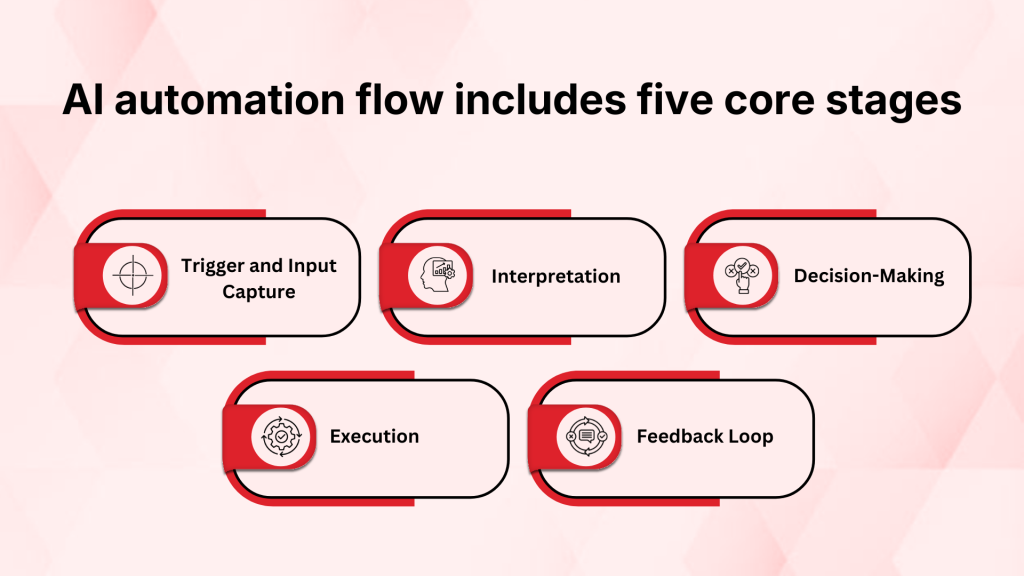
A typical AI automation flow includes five core stages:
- Trigger and Input Capture: The system detects an event, such as an incoming message, transaction, or ticket
- Interpretation: Incoming data is examined to understand its meaning and relevance
- Decision-Making: The platform determines the appropriate response based on defined logic and learned patterns
- Execution: Integrated systems complete the necessary steps without manual handling
- Feedback Loop: Results are captured to support ongoing refinement where model learning applies
APIs provide the connective layer between CRM software, knowledge libraries, communication channels, and core backend systems, while orchestration coordinates their interactions. This integration ensures that AI-driven decisions trigger concrete actions rather than isolated responses.
Best AI Automation Platforms and Tools
Companies checking AI automation solutions care about how things actually work. They want processes to move cleanly, systems to connect without major adjustments, and results to show up in real performance metrics.
Some platforms lean toward customer support use cases. Others serve broader enterprise processes or help systems communicate with each other. The table that follows compares several widely adopted solutions.
| Platform | Best For | Core Capabilities | G2 Rating |
|---|---|---|---|
| Kapture CX | Customer support and CX automation | Omnichannel ticketing, AI routing, workflow automation, analytics | 4.5/5 |
| UiPath | Enterprise-wide process automation | RPA bots, AI models, orchestration, low-code automation | 4.6/5 |
| Workato | Integration-led workflow automation | API automation, workflow builder, app connectors | 4.7/5 |
| Kore.ai | Conversational AI and enterprise agents | AI agent builder, multi-channel deployment, intent recognition | 4.6/5 |
The following section reviews each platform and describes its key strengths.
1. Kapture CX
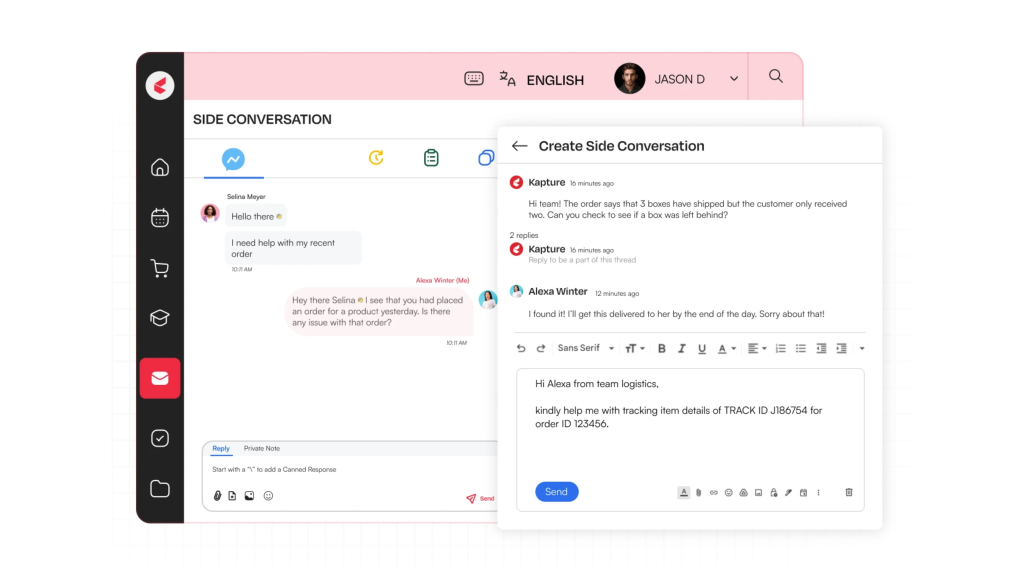
Support teams use Kapture CX to reduce manual effort in handling customer queries. The platform helps sort and direct tickets while bringing relevant information into view during resolution. Its integration with CRM and core systems ensures that case details remain connected across the process.
Key Features
- Omnichannel ticket management
- AI-based ticket classification and routing
- Workflow automation with rule-based triggers
- Knowledge base integration with contextual suggestions
2. UiPath
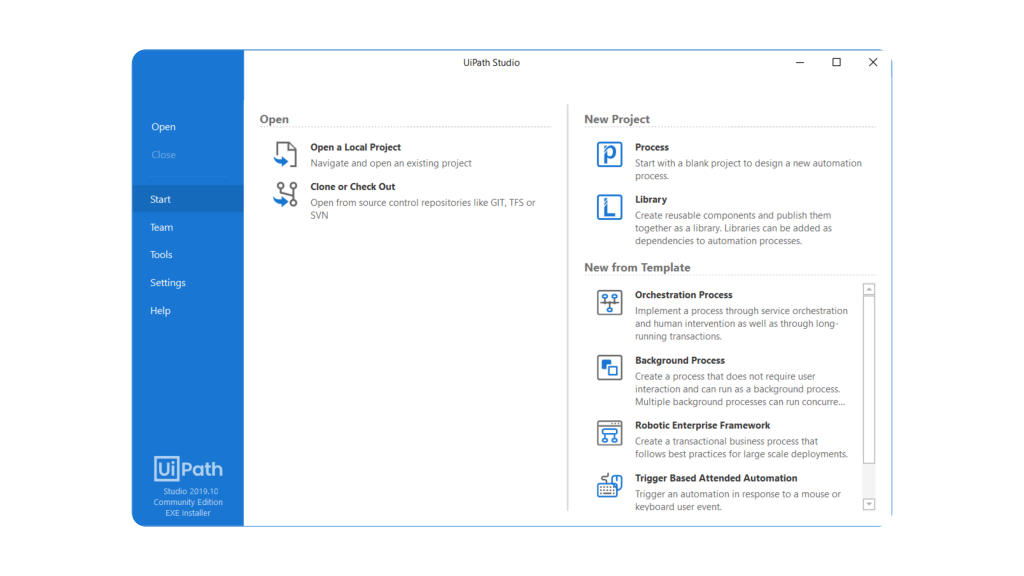
Many enterprises rely on UiPath to simplify operational work. The platform brings together RPA and AI tools to support structured processes across finance and HR. It connects automation components behind the scenes so tasks progress across systems.
Key Features
- Robotic Process Automation (RPA) bots
- AI-driven document understanding
- Process and task mining tools
3. Workato
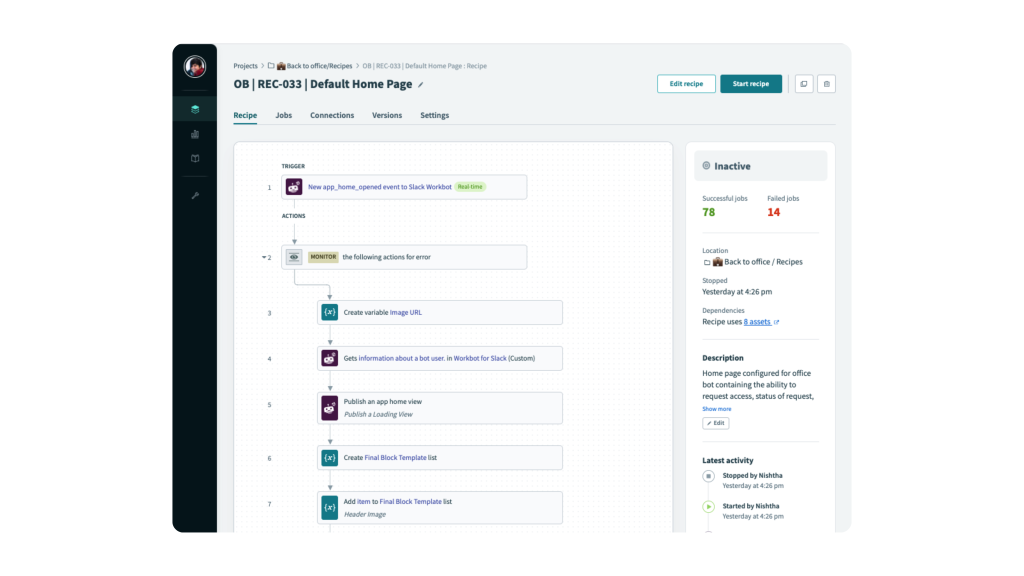
Workato centers on connecting systems rather than replacing them. It links SaaS tools and internal platforms so information moves between them automatically. Teams build these connections through a visual interface and ready-made connectors that trigger actions across applications.
Key Features
- Visual workflow builder
- Large library of prebuilt connectors
- API-based automation framework
4. Kore.ai
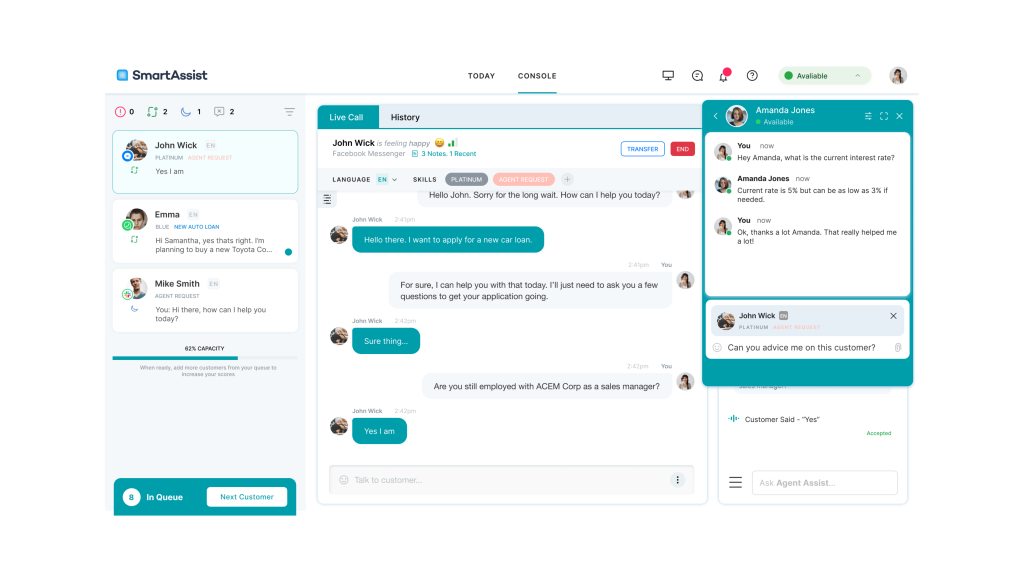
Kore.ai specializes in conversational AI and enterprise AI agents. The platform allows teams to create virtual assistants and task-driven agents that connect with existing enterprise systems. Organizations use it to support both customer interactions and internal processes.
Key Features
- Enterprise AI agent development platform
- Multi-channel deployment
- Advanced NLP and intent recognition
Strategic Benefits: Why Invest in AI Automation?
Many companies adopt AI automation testing to improve how work gets done. Deloitte reports that 66% of enterprises using AI experience better productivity and operational efficiency. Deloitte reports that 66% of enterprises using AI experience better productivity and operational efficiency.
Automation takes over repetitive tasks and helps processes move more quickly. It reduces mistakes in structured workflows and keeps execution consistent. In customer operations, automated routing and resolution support faster handling and stronger first-contact performance.
When organizations define success metrics early and track them over time, automation programs deliver clearer results. Cost per transaction, turnaround speed, error rates, and customer satisfaction often serve as practical benchmarks. These numbers give executives a direct view into financial and operational returns.
The table that follows summarizes the main ROI factors companies consider.
| Benefit Category | Typical Impact | Example Metrics |
|---|---|---|
| Cost Reduction | Lower operating expenses | Labor cost savings, reduced rework costs |
| Productivity Gains | Higher output per team | Cycle time reduction, throughput increase |
| Quality Improvement | Fewer defects and compliance gaps | Error rate reduction, audit performance |
| Customer Experience | Improved service delivery | CSAT/NPS improvement, faster response times |
| Operational Stability | More consistent processes | Reduced downtime, faster incident resolution |
Real-World AI Automation Examples
These examples show AI automation in real business settings. They describe the operational issue, the automation strategy applied, and the outcomes achieved.
1. Customer Support Operations
The White Teak Company managed customer queries across multiple touchpoints, including online and retail channels. Customer information was spread across separate systems, making it harder for agents to see the full picture. That gap slowed responses and created unnecessary friction during case handling.
The team moved to Kapture CX to bring everything into one place. With data centralized, tickets no longer bounce around without clarity. Automated routing helped direct requests correctly from the start, and defined workflows reduced handoffs. Agents could immediately view past interactions and relevant details while working on a case.
Performance improved in measurable ways. Average query turnaround time fell by 18.2%. Handling time dropped by 17.1%. First-time resolution increased by 3 percentage points. These changes helped the support team respond more consistently and manage operations with greater control.
2. Sales/Marketing
Lead flow rarely slows down. When teams review every prospect manually, follow-ups take longer, and opportunities cool off.
AI scoring models analyze behavior and profile details in real time. They flag strong prospects, trigger the right outreach, and adapt messaging as engagement changes. Sales teams then focus on real opportunities instead of sorting through spreadsheets.
3. Finance/Operations
Finance teams handle high transaction volumes that require accuracy and oversight. When teams rely on manual checks, expenses increase and processing time stretches.
AI automation reviews transactions in real time. It highlights anomalies, escalates questionable activity, and records actions for audit tracking. Systems can also prepare routine compliance documentation without extra effort. As a result, teams reduce repetitive work and strengthen control over operational risk.
Problem–Solution–Impact
| Function | Problem | Solution | Impact |
|---|---|---|---|
| Customer Support | Disconnected systems and slow case handling | Unified omnichannel platform with automated workflows | Faster resolutions and improved case consistency |
| Sales/Marketing | Manual lead qualification and follow-ups | AI-driven scoring and automated engagement | Improved conversion rates and reduced response time |
| Finance/Operations | Time-intensive transaction monitoring | Automated anomaly detection and reporting | Lower review effort and stronger compliance oversight |
Future-Proofing: Why the Most Successful AI Always Keeps a Human in the Loop
AI tools process work at scale, but they still require supervision. Teams monitor outputs and step in when judgment calls matter. When organizations build defined review points into their workflows, performance stays consistent, and usage spreads more naturally.
1 . Oversight Improves Accuracy and Trust
These systems manage high data volumes with speed and accuracy. When inputs become unclear or fall outside normal patterns, human review steps in to resolve issues and maintain reliable outcomes. Human checkpoints improve:
- Model accuracy over time
- Reliability in sensitive scenarios
- Customer confidence in automated decisions
2. Judgment and Compliance Require Human Review
AI systems operate within the boundaries they are given. They do not weigh gray areas or interpret nuance the way people do. Situations involving escalations or compliance concerns still require experienced judgment. Reviewing outcomes remains an important step. Teams examine decisions and make adjustments when necessary to keep work aligned with internal and regulatory standards.
Automation tends to perform more consistently when people continue monitoring results. Periodic oversight keeps risk contained and protects service performance as usage increases.
Kapture CX follows this model by pairing automation capabilities with structured controls and system visibility.
If you are exploring how to scale AI automation responsibly within your customer operations, booking a personalized demo can help you assess what that approach could look like in practice.
Frequently Asked Questions (FAQ)
Timelines depend on scope. A focused use case can go live within a few weeks, while broader, cross-functional automation programs may require several months.
Automation works best when teams maintain structured process data and usable historical records. Clean inputs make models more accurate and improve overall reliability.
Teams define access levels carefully and introduce approval steps where needed. They also maintain audit trails and human review points to keep processes visible and aligned with regulatory requirements.
API connectivity comes standard in many automation platforms. Teams use it to tie AI tools into CRM systems, ERP software, helpdesk platforms, and communication channels.




 +1(415) 319-8777 (USA)
 enquiries@kapture.cx