
According to a Gartner survey, live chat and self-service will surpass conventional channels by 2027. This means your business needs smart helpdesk solutions to stay afloat.
In this transitional phase, two feature-rich tools that are gaining traction are Freshdesk vs Zoho Desk. But how do they stack up against each other?
As per 6sense, over 1,81,000 companies indicated the use of Freshdesk as their support service tool. It offers a powerful omnichannel support and a seamless UX for smaller teams. However, if you add high-end features, the Freshdesk plan gets more costly.
In comparison, Zoho Desk is often referred to as a more affordable alternative with many customization possibilities. It stands out in reporting and automation across its ecosystem. In fact, a G2 review mentions that Zoho Desk’s quick ticket assignment and tracking features helped to improve team productivity.
While Zoho Desk offers deeper functionality within its own suite, Freshdesk is effective when it comes to scalability.
Still unsure? Here is a detailed CX guide on Zoho Desk vs Freshdesk, enlisting key features, benefits, pricing, and more to help you make a smart choice.
Zoho Desk vs Freshdesk: At a Glance
Let’s start with a quick snapshot to understand the functionalities of both tools.
Zoho Desk
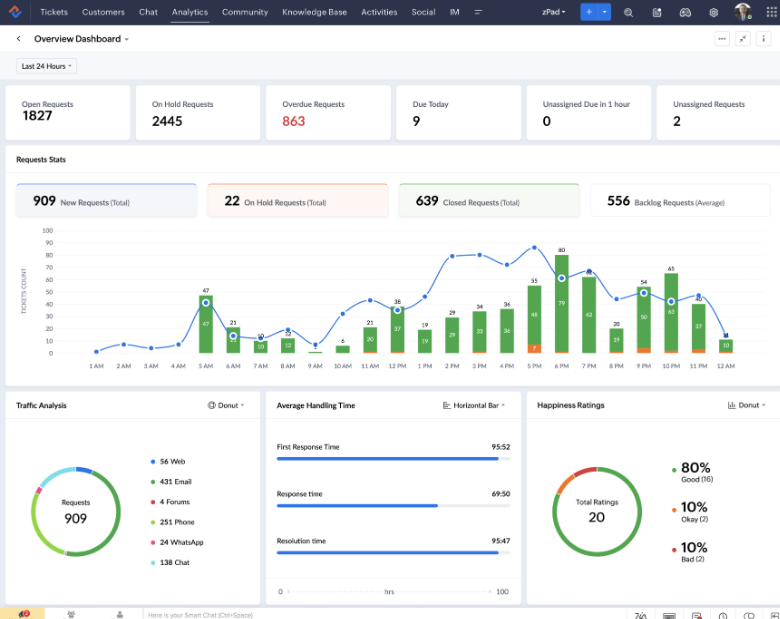
Zoho Desk is a cloud-based, AI-powered support platform. It is loaded with advanced automation and reporting features to offer high-quality support service. It helps CX teams to –
- Keep track of your support volumes and response rates at every touchpoint with strong analytics
- Set future support goals and closely monitor them
- Create business intelligence dashboards for tracking KPIs
If your CX team faces high-volume requests with complex queries, Zoho Desk can help. Its data visualization features offer 75 built-in reports to help support teams meet their expected KPIs.
Freshdesk
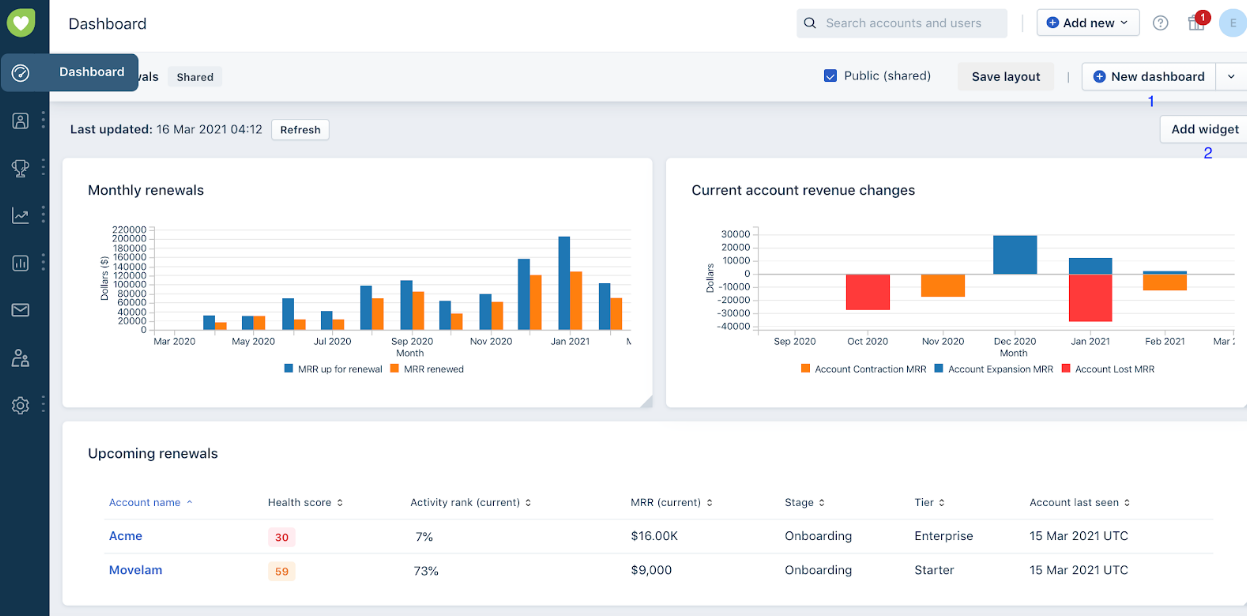
Freshdesk is a helpdesk system that is simple and user-friendly with a straightforward UI. By means of its marketplace, Freshdesk promotes automation as well as a large number of integrations. Its wide suite of offerings helps CX teams perform better by –
- Automatically allocating tickets as per agent availability
- Assessing the agent’s performance for better productivity
- Analyze the customer’s previous concerns for quick resolution
- Redirecting customers to knowledge bases
- Automating redundant shadow work in a jiffy
If you are an SMB or startup that needs quick agent onboarding and a simple setup, Freshdesk is an ideal pick for you. You set CX goals. You configure it, and within days, you start delivering without extensive developer support.
| Aspects | Zoho Desk | Freshdesk |
| Ideal Company Size | All sizes, especially mid to large firms | SMBs and startups |
| Pricing Starting Point | Affordable | Competitive |
| Deployment Speed | Time-consuming due to configuration needs | Faster initial deployment |
| Ecosystem | Suite-based (Zoho apps) | Standalone/Partner tools |
Overview of Zoho Desk
Zoho Desk simplifies support operations with a high-end suite of CX features. It cuts down on agent shadow work by minimizing context switching during support calls. Your team gets a full picture of the call history, unlike the usual channel fragmentation. Results? Consistently high resolution rates and happier agents.
- Core Positioning: A context-aware, highly configurable helpdesk that offers a consolidated, single-pane picture of all customer communications within a fully linked business environment
- Strengths: Seamless Zoho integrations, advanced automation, unified agent interface
- Who It’s Best For: As Zoho Desk offers unmatched data synchronization, it is ideal for companies that need high-end customization and process compliance.
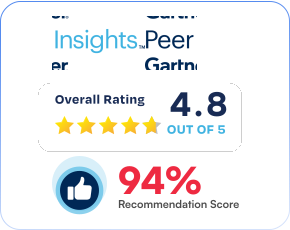
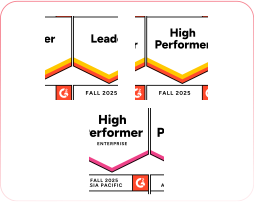
Ratings
Overview of Freshdesk
Freshdesk stands out as a helpdesk offering advanced customizations to reduce downtime. From triggering CX workflows to unifying siloed processes, its top-notch CX features help you scale your support services seamlessly.
- Core Positioning: A customer support tool that is user-friendly, AI-driven, capable of having a very quick process turnaround, and simple setup. Plus, it offers a very extensive and affordable feature set.
- Strengths: Easy to use, fast installation, powerful ticketing
- Who It’s Best For: Freshdesk is well-suited for SMBs and startups looking for an easy-to-implement support solution with a clear UI
Ratings
Zoho Desk vs Freshdesk: Feature-by-Feature Comparison for CX Teams
No two support journeys are the same. Hence, CX teams of different enterprises require tools that accelerate their unique operations. For this, you need to factor in which features help and directly cater to your customer support goals.
1. Ticket Management
Both platforms do a great job here, but they go about it differently.
Depending on the set criteria, Zoho Desk’s advanced automation rules direct tickets to the most suitable agents automatically. Basically, it is great for simplifying operations and reducing manual work.
Meanwhile, Freshdesk has features like easy ticket management and status updates. This equips agents to offer quick, relevant support by bringing together multichannel requests into a single, unified inbox.
2. Omnichannel Support
According to a recent Shep Hyken study, 51% of the respondents indicated that good service is more important than the price.
This is where Freshdesk excels. With a unified interface, it provides a seamless journey for customers through all the support channels.
Though the omnichannel features of Zoho Desk are not as extensive as those of Freshdesk, it still enables communication via several channels.
3. Self-Service Portals
Freshdesk grabs the top spot with its highly customizable portal. It lets you create an automated, interactive system where customers can find the solutions on their own.
Zoho Desk has a self-service portal that is more integrated with the app suite of Zoho. So, it works great if you are already utilizing those tools. However, it may not be as customizable as Freshdesk’s.
4. Knowledge Base Management
Setting up a knowledge base with Freshdesk is very straightforward. More than 40 languages are available for article creation, and you can arrange your articles in different categories according to the subject matter. Plus, features like article feedback help improve content over time.
Likewise, Zoho Desk provides exciting knowledge management solutions when combined with its CRM. During interactions, it enables contextual help for agents to quickly resolve customer queries.
Although both are efficient, Freshdesk has an edge for organizations that value self-service due to its easy setup.
5. Agent Experience
Zoho Desk helps agents stay aligned on customer queries across massive datasets by offering –
- Internal notes
- Collision detection
- Task assignments
Alternatively, Freshdesk ensures smooth functioning of your team through features, like –
- Team inboxes
- Shared ticket views
All in all, the two tools aim to lighten the load of the agents. Zoho Desk boosts performance with unified data access. On the other hand, Freshdesk is instrumental in achieving KPIs and lessening agent fatigue by the use of an intelligent workforce management system.
Below is a concise comparison table that highlights the primary features of Zoho Desk vs Freshdesk.
| Features | Zoho Desk | Freshdesk |
| Ticket Management | Advanced automation Custom workflows (Available on all paid plans starting at $7/agent/month) | Easy tracking Prioritization Status updates (Available on all paid plans starting at $15/agent/month) |
| Omnichannel Support | Email Phone call Social media Live chat Community forums (Available on all paid plans starting at $7/agent/month) | Email Phone call Live chat Social media (even WhatsApp/Instagram) (Available on all paid plans starting at $15/agent/month) |
| Self-Service Portals | Integrated with the Zoho suite, customizable (Available from standard plan starting at $14/agent/month) | Highly customizable, user-friendly (Available from Pro plan starting at $49/agent/month) |
| Knowledge Base Management | Integrated with Zoho CRM and other Zoho apps for unified data Offers contextual support (Available from standard plan starting at $14/agent/month) | Supports over 40 languages Seamlessly integrates KB into chat widgets Advanced AI for article suggestions (Available on all paid plans starting at $15/agent/month) |
| Agent Experience | Deep control over agent layouts Snippets and private threads for better agent efficiency (Available from standard plan starting at $14/agent/month) | Fast onboarding for new agents User-friendly interface (Available on all paid plans starting at $15/agent/month) |
Ease of Use and Implementation: Getting Your CX Team Live on Zoho Desk vs Freshdesk
Zoho Desk
Zoho Desk’s user interface is simple and basic. It allows you full customization. However, due to the extensive features and the complex integrations, the configuration process may take time.
In fact, an executive assistant on G2 hailed Zoho Desk’s interface as clean and easy to navigate. Plus, the ability to customize templates helped their team manage support requests more effectively.
Freshdesk
Freshdesk is primarily known for having a highly user-friendly interface. Think of it as simple, straightforward dashboards that hardly need any training for use. Support staff can onboard more quickly because it is easy to set up channels and customize the portal.
A lead support reviews FreshDesk on G2 as intuitive and seamless –
The UI is interactive and easy to get started. It took me just 2-3 days to get a complete picture of how it works.
| Quick Tip: For CX organizations looking for ease-of-use, Freshdesk is easier to adopt right from the start. But Zoho Desk offers more versatility once you get used to the platform. However, both are designed to make it easy for your team to go live! |
Automation, AI, and Productivity: How Zoho Desk and Freshdesk Scale Your Support
Zoho Desk
Zoho Desk offers an AI assistant, Zia, that determines customer sentiments to equip the agents with contextual data for tailored support. According to a G2 review, Zia offers a bird’s-eye data view –
What I like the most is that simply by chatting with Zia and asking a question, it shows me all the records and reports without needing to look through all the data included in the CRM
Additionally, it helps in –
- Automatic ticket tagging
- Categorization
- Anomaly detection
- Sentiment analysis
Freshdesk
A G2 reviewer rated Freshdesk 5/5, highlighting automation rules as one of the most powerful features for assigning tickets and ensuring SLA compliance.
Moreover, the in-house AI assistant of Freshdesk, named Freddy AI, is 24/7 available for task automation and quick result generation. It is a great fit for companies that already use the Freshdesk helpdesk ecosystem because it combines Freddy Copilot for agents and Freddy AI Agent for ticket automation.
Freddy helps in –
- Performance predictions
- Automatic triage
- Customer intent detection
- Smart suggestions
However, sophisticated AI features are exclusive to the Pro and Enterprise levels.
Integrations and Ecosystem: How Zoho Desk and Freshdesk Fit Into Your CX Stack
Zoho Desk
It provides more than 1800 integrations via the Zoho Marketplace with third-party tools like –
- Microsoft Teams
- Slack
- Salesforce
- Zapier
- Mailchip
A user on Capterra rates Zoho Desk 5/5 for their ticketing system and mentions it was the best experience with third-party application integration. Its role-based access helped boost efficiency.
Freshdesk
It provides 1,000+ integrations through the Freshworks Marketplace, including integrations to well-known tools like –
- Google Workspace
- Salesforce
- Slack
With this massive integration network, CX teams can simply connect any of their currently used tools with Freshdesk.
Reporting, Analytics, and CX Metrics: Zoho Desk vs Freshdesk
Zoho Desk
Zoho Desk analytics offers a complete overview of agent and team performance comparisons. It provides built-in reporting features for static insights.
According to a G2 review, the reporting and dashboard features are also very handy for monitoring team performance and response times.
From ticket volume trends to FRT, you can always stay on top of your performance metrics with Zoho analytics integrations. Top reporting features are –
- Data visualization
- Custom dashboards
- 25+ chart types
- KPI widgets
- Data blending
Freshdesk
Freshdesk allows agents to design customized dashboards that show the most pertinent KPIs. You can easily track agent performance and check for SLA compliance.
Plus, you can create custom reports using the drag-and-drop feature even without technical expertise. Some of the key reporting features are –
- Custom report builder
- Rich dashboards
- First response time metrics
Here is how Freshdesk’s reporting features have helped a G2 user –
The reporting dashboards are also a big plus because I can track trends, see SLA breaches before they become a problem, and measure team productivity.
Pricing and Value for Money: Zoho Desk vs Freshdesk Plans
Zoho Desk offers better value for money. However, if you are a large company planning to scale, you can opt for the Freshdesk suite. The AI add-ons are expensive, but there are no hidden costs for the core features.
Zoho Desk
The pricing plans of Zoho Desk are simple and well-structured. You can even opt for the 15-day free trial to see how the tool functions.
The express plan is curated for micro-business owners looking for basic CX features like –
- Direct assignment
- Workflows
- Custom domain
- Multi-level escalations
- Ticket timeline and history
- Contact management
However, you can get access to high-end features like AI agents and multi-level IVR with the Enterprise plan, priced at $40/agent/month.
Freshdesk
With Freshdesk’s 14-day free trial, you can test the tool’s basic functionality to see if it suits what you need.
Following the trial period, the growth plan is the next option on the list. It is specially designed for small business owners who seek features that provide support to the industry, such as tickets and custom reports.
However, the Freddy AI agent is included in the Pro and Enterprise plans. The Pro plan comes with features like –
- Customized support portals
- Custom objects
- Advanced ticketing
- Custom reporting
- Different routing mechanisms
Apart from these, if you are looking for additional security features and audit logs, opt for the Enterprise plan.
| Tools | Pricing |
| Zoho Desk | Free: Up to 3 users Express: $7/agent/month Standard: $14/agent/month Professional: $23/agent/month Enterprise: $40/agent/month |
| Freshdesk | Free: Up to 2 agents Growth: $15/agent/month Pro: $49/agent/month Enterprise: $79/agent/month |
Best Fit by Team Size and Industry: When to Choose Zoho Desk vs Freshdesk
Zoho Desk
Mid-sized to big businesses that require sophisticated workflow automation and department-specific design (Blueprints)
Industry type – In a sector with organized, multi-phase support procedures (such as particular incident escalations)
Freshdesk
According to a PwC survey, 88% of respondents indicate their team or business unit intends to raise AI-related expenses in the upcoming year due to agentic AI.
Freshdesk is therefore a more competent choice for growing teams that need high-end integration and more advanced automation.
Industry type – Where fast onboarding and a vast third-party app marketplace are priorities
| Tool | Zoho Desk | Freshdesk |
| Ideal team size | A maximum of 100 agents, either part of 50 sub-teams or 20 roles | No set limit on the maximum number of paid agents for advanced plans |
| Industry type | IT-enabled services Banking Healthcare Saas | Retail and e-commerce Travel and hospitality Manufacturing Banking and finance |
Pros and Cons for CX Teams: Zoho Desk vs Freshdesk at a Glance
Zoho Desk and Freshdesk cater to different CX goals. Businesses prefer Zoho Desk for cross-channel analytics. You track sessions and campaign metrics without breaking the bank. Whereas Freshdesk takes the win for enterprises that are looking for a fast time-to-value without months of configuration.
Here are the top pros and cons to mull over –
Zoho Desk
Some of its top-reviewed offerings of Zoho Desk are powerful automation (Blueprint) and multichannel assistance at cost-effective prices. Interestingly, a reviewer on G2 has praised Zoho Desk for providing deep insights that help in response time optimization.
Pros
- Easy Zoho Integration: Works well with Zoho Analytics, CRM, and more tools
- Flexible Customization: You can easily change views, ticket layouts, and procedures to suit team requirements
- Reasonable Pricing: Different plans are offered, one of which is a free tier suitable for small customer experience teams
- AI-Driven Automation: Zia, an AI assistant from Zoho, helps in ticket classification and sentiment analysis
Cons
- Large Enterprise Scalability: Less depth for complex AI workflows
- Complex Interface: Beginners may face a steep learning curve. Plus, the implementation process takes time. According to G2, a user finds the design flexibility of the customer-facing portal a bit limited.
Freshdesk
Freshdesk gets glowing reviews for its user-friendly design and simplicity of setup. Besides that, a Capterra user rated Freshdesk 3 out of 5 and remarked-
Our admin did a good job of integrating the knowledge base with the ticketing systems, so the KB was a very reliable point of reference while troubleshooting during a call.
Pros
- Full Automation: Automates processes, resulting in increased productivity and time saving
- Fairly Priced for SMBs: Affordable with useful features available in lower-tier plans
- Customization: Offers highly adaptable workflows and features for CX teams
- Reporting: Offers insights into customer communications and support efficacy to help in data-driven issue resolutions
Cons
- Advanced Features Restricted to Premium Paywall: AI-powered functions and detailed reporting are only available for premium subscriptions. In fact, a G2 reviewer mentions how higher-tier plans can be limiting for smaller teams. And the mobile app feels slightly less responsive compared to the web version.
- High Budget: Expensive for premium capabilities like Freddy AI or enterprise-grade personalization
How to Decide Between Zoho Desk and Freshdesk for Modern CX
You need to establish proof-of-concept installations with identical test tickets and SLAs for both tools. Ask supervisors and front-line agents to use the tools and provide their pragmatic feedback.
Ultimately, comparing Zoho Desk and Freshdesk is like a draw where each choice is a winner in varied aspects. The right suit hinges on your team’s size and unique CX needs.
However, if you are looking for a customer service platform with more focused industry emphasis, consider Kapture CX. It integrates auto-QA, agentic AI orchestration, and niche-specific automation for quick ticket resolution in high-volume CX sectors.
Reach out to our team to know more about how Kapture CX can combine automation with industry-specific insights to deliver great CX outcomes.
FAQs
Freshdesk uses Microsoft Azure for its AI to provide layers of enterprise security. Whereas Zoho Desk prioritizes compliance at the enterprise level more strictly (ISO 27001, SOC 2 Type II).
Zoho Desk is perfectly interoperable with other Zoho apps, but Freshdesk offers more diverse third-party integration options.
Freshdesk makes collaboration possible through shared ticket views and internal notes. In comparison, Zoho Desk offers unified team inboxes and task assignments.