

TL;DR
- Platforms for customer engagement keep automation, customer data, and discussions together.
- This helps teams work across channels without manual fixes. In 2026, stronger platforms emphasize live context, usable automation, and clearer ownership between teams.
- Customer engagement software works best when it suits how teams actually operate and can accommodate expanding expectations.
There are no easy ways to interact with customers in 2026. Voice, chat, email, and in-app messages alternate during conversations, which may be long or overlap.
Customers are usually clear about one thing. They want to be recognized. They want the company to know what already happened. They do not want to start over.
The data shows the challenge clearly. In 2024, around 3% of companies were considered customer-obsessed, and those companies showed stronger performance in growth, profitability, and retention.
A modern customer engagement platform helps support continuity. It brings conversations, customer data, routing rules, automation, and reporting into one system instead of handling each message separately. Many teams use this setup as a customer engagement center in practice, even without using the term.
With this setup, teams can respond with context already visible, work across channels without losing track, and keep the experience steady as customers move around. At the same time, buying decisions have become harder. Many tools are sold as customer engagement software, but they are built for different problems.
Some platforms focus mainly on shared inboxes. Others lean toward workflow automation or AI support. Many tools are presented as complete solutions, but start to show gaps once usage grows. Extra systems get added, workarounds appear, and the original setup becomes harder to manage.
Without a clear understanding of these differences upfront, teams often pick software that demos well but becomes difficult to rely on in everyday work. Recent research reflects this struggle. Only about 6% of brands improved their customer experience ranking year over year, while many others slipped behind.
This guide looks at how customer engagement platforms are actually used in 2026. The aim is to help you choose a platform that holds up in real conditions, not one that only looks good on a feature checklist.
What Is a Customer Engagement Platform and Why Are They Essential
Most teams already talk to customers in several places. The problem is not communication. The problem is fragmentation. Conversations live in different tools across email, chat, social messages, calls, and in-app requests.
When everything comes together in one system, teams can see what happened before responding. Context improves. Guesswork drops. Automation, customer profiles, and reporting usually sit alongside messaging so engagement does not rely on manual tracking as activity grows.
What separates a customer engagement platform from individual channel tools is the way context is handled. Messages are not treated as brand-new requests. Interactions connect back to customer data, past actions, and business rules. This supports better routing, more useful automation, and responses that match intent.
Customer issues rarely stay in one place. A request can begin on chat, shift to email, and finish days later on a call. Without a shared system, details get lost. Customers explain things again. Replies take longer. A customer engagement platform keeps the thread together so progress is not lost between steps.
More volume makes manual coordination harder to sustain. Service grows more reliable with time.
Comparison Overview
Several platforms promise similar results. A direct comparison helps clarify where they actually differ.
The table below outlines each platform’s engagement focus, channel coverage, and typical use cases:
| Platform | Core CX Focus | Primary Engagement Channels | AI and Automation Capabilities | Best-Fit Use Cases | Ideal Company Size |
| Kapture CX | Unified support and automated engagement | Chat, email, bots, messaging | AI automation, agent assist | High-volume support teams, centralized engagement | Mid-sized to large enterprises |
| MoEngage | Lifecycle engagement and personalization | Email, push, in-app, SMS, WhatsApp | Behavior-based automation, segmentation | Retention campaigns, cross-channel marketing | Mid-sized to large consumer brands |
| Pushwoosh | Cross-channel messaging and targeting | Push, in-app, email, SMS, WhatsApp | Campaign automation, segmentation | App engagement and retention | Mid-sized to large engagement programs |
| Intercom | Real-time conversation and support | Live chat, in-app messaging, email | Chatbots, automated triage | Onboarding and conversational support | Small to mid-sized digital teams |
| Braze | Behavior-driven engagement journeys | Email, push, SMS, web push, in-app | Real-time segmentation, dynamic journeys | Data-driven lifecycle campaigns | Mid-sized to large enterprises |
| Zonka Feedback | CX feedback intelligence and closed-loop action | Email, SMS, WhatsApp, web, in-app, kiosks, offline | AI thematic analysis, sentiment scoring, role-based signals | CX teams tracking satisfaction drivers | Small to large enterprises |
| Customer.io | Behavior-based messaging and workflows | Email, SMS, push | Rule-based automation, event triggers | Onboarding and re-engagement messaging | Small to mid-sized product-led teams |
| HubSpot | Shared CRM and service engagement | Chat, email, CRM workflows | CRM automation, workflow triggers | Cross-team engagement and growth | Small to large growing teams |
| CleverTap | Behavioral engagement and retention | Push, in-app, email, SMS, web notifications | Predictive insights, segmentation | Retention and lifecycle growth | Mid-sized to large consumer apps |
| Iterable | Flexible cross-channel campaigns | Email, SMS, push, in-app, web | Automated workflows, segmentation | Multi-channel lifecycle campaigns | Mid-sized to large teams |
Top Customer Engagement Platforms – Detailed Guide
Handling conversations across disconnected tools stops working once interaction volume grows. Customer engagement platforms address this by pulling key systems into a single working layer.
The platforms listed below solve this problem in different ways and are reviewed side by side using a consistent format.
1. Kapture CX
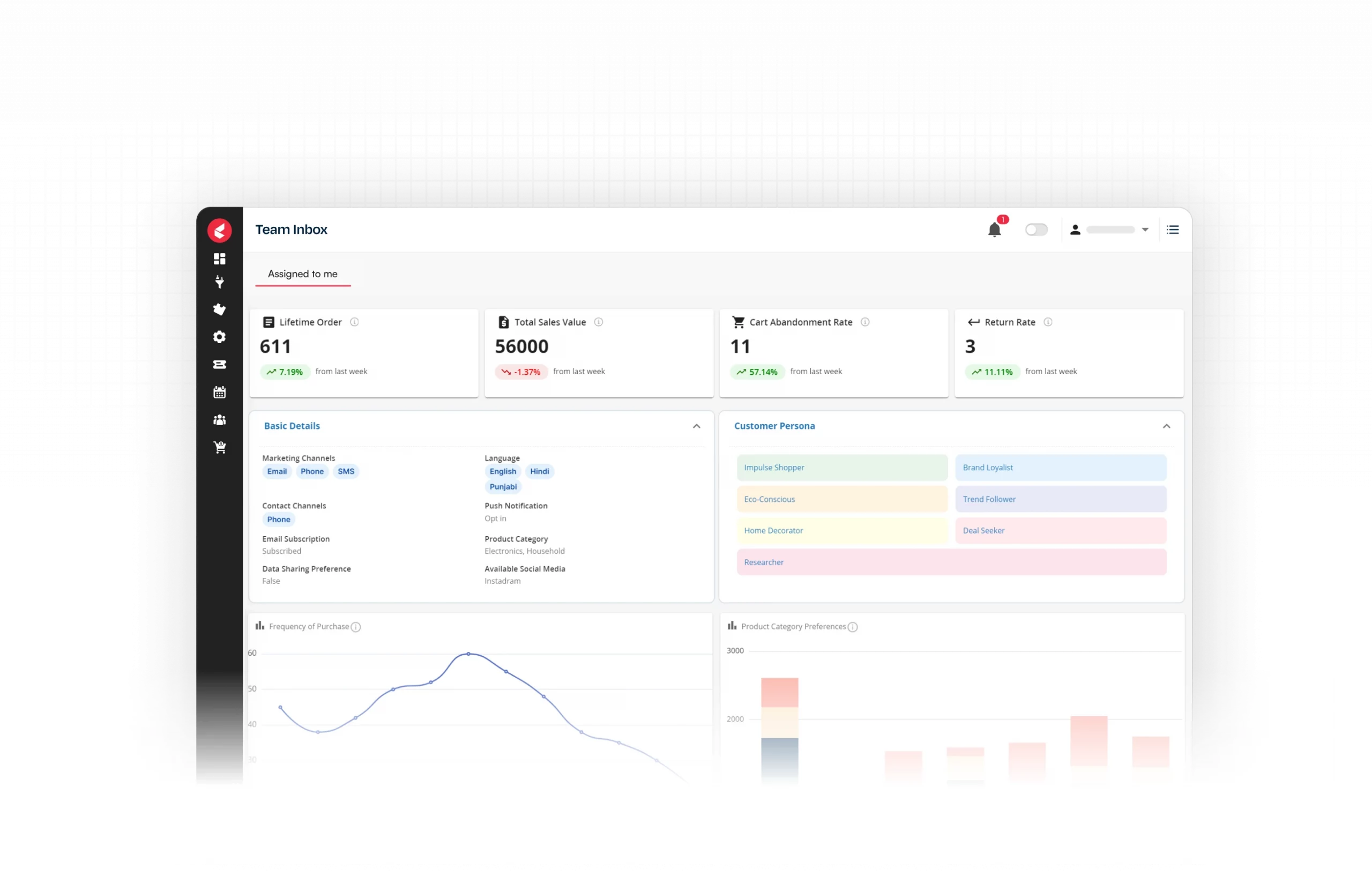
Kapture CX is built to support customer interactions across teams and channels. Communication tools, automation, ticketing, and customer context are handled within a single system.
CX Strengths
Kapture CX relies on automation that works alongside people. AI manages repetitive questions and early sorting. When agents can see everything that has already happened, complex issues stop dragging on. Resolution is faster, and quality stays consistent.
Key Engagement Capabilities
- Chat, email, messaging, and bots handled together
- AI support for self-service and guided conversations
- Smart ticket routing with SLA and priority rules
- Analytics for tracking resolution quality and CX performance
Best-Fit Use Cases
- Enterprises managing large volumes of customer support requests
- Teams looking to reduce agent workload through automation
- Organizations building a centralized Customer Engagement Center for service operations
Quick Evaluation Pointers
- Channels: Covers core digital and support channels well
- AI: AI features are used to support self-service, routing, and agent work
- Scale: Designed for large and distributed teams
- CX Focus: Strong emphasis on context and efficient resolution
| Customer Testimonial |
| “User friendly UI, easy to integrate multiple Social media platforms, telephony, auto QA and KB feature” – Sushil Kumar P., Manager |
2. MoEngage
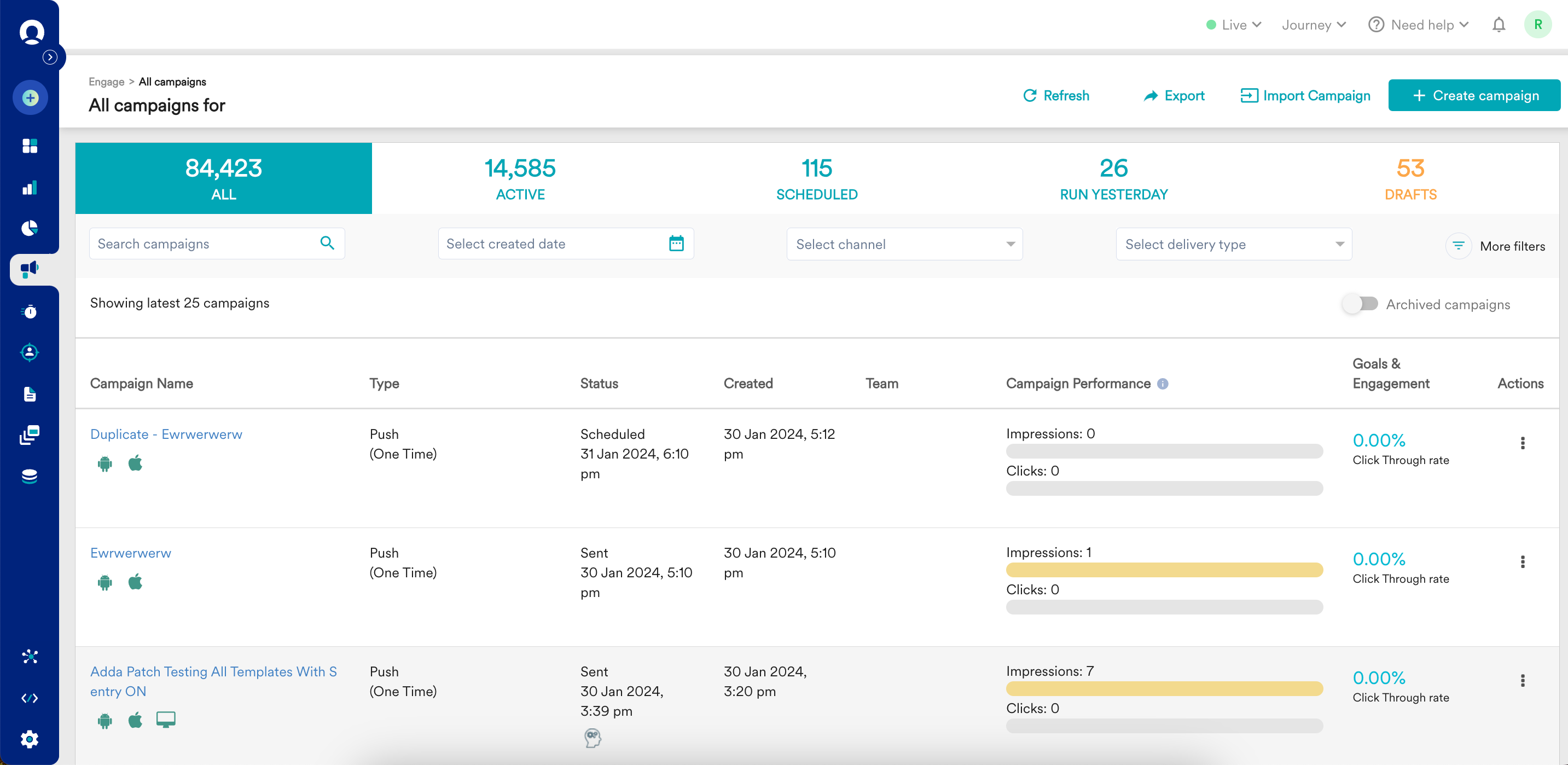
MoEngage is used by marketing, product, and growth teams to manage lifecycle messaging across digital channels. Real-time behavior signals drive when messages go out. User actions matter more than schedules, which keeps engagement closer to actual usage.
CX Strengths
MoEngage performs best when relevance depends on timing. Teams can group users by behavior and trigger messages based on actions, which helps communication stay in sync with real user activity rather than preset timelines.
Key Engagement Capabilities
- Email, push, in-app, and SMS handled as part of the same messaging flow
- Real-time visibility into behavior and how audiences segment
- Lifecycle-based journeys that trigger automatically
- Engagement insights to track retention and drop-off
Best-Fit Use Cases
- Consumer-facing apps and digital products
- Marketing and growth teams focused on retention
- Organizations running behavior-driven engagement programs
Quick Evaluation Pointers
- Channels: Strong coverage for mobile and web engagement
- AI: Uses behavioral data to guide automated messaging
- Scale: Fits mid-sized to large consumer businesses
- CX Focus: Personalization and lifecycle engagement
| Customer Testimonial |
| “Helpful in segment flows and data Easy to use Helpful support from backend team” – Aayush J., Senior Associate |
3. Pushwoosh
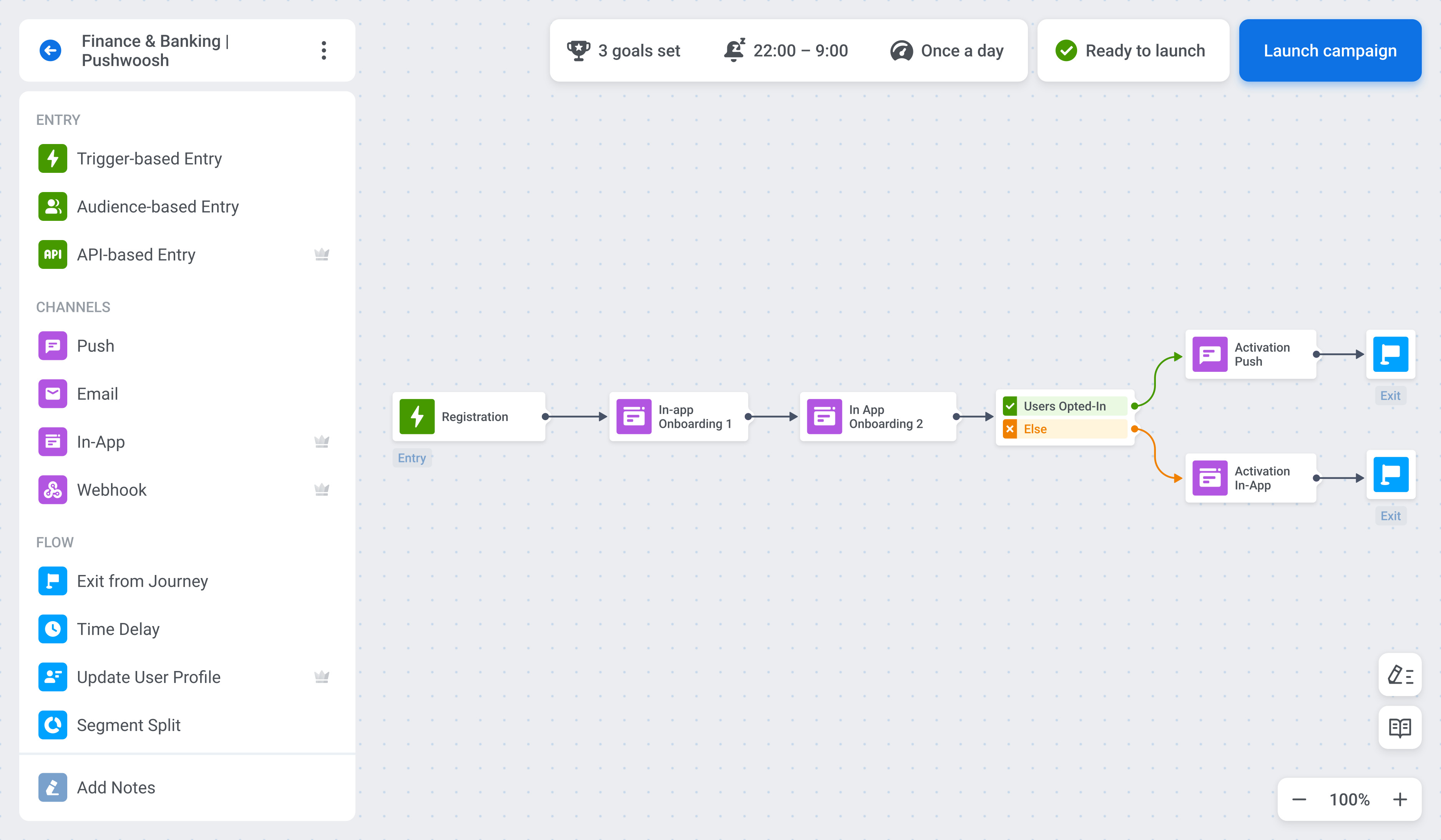
Pushwoosh shows up in teams running engagement across both web and mobile surfaces. As messaging spreads across more channels, this setup keeps push notifications, in-app messages, email, SMS, WhatsApp, and browser communication together.
CX Strengths
Pushwoosh stands out for how it handles audience segmentation and message delivery. Teams can react to user behavior, attributes, and activity patterns, which makes it easier to send messages that line up with what users are doing instead of following fixed campaign schedules.
Key Engagement Capabilities
- Email, SMS, and WhatsApp messaging from one platform
- Behavioral and attribute-based user segmentation
- Visual journey builder for automated engagement flows
- Analytics to track delivery, opens, and interaction trends
Best-Fit Use Cases
- Mobile-first companies centered on app engagement and user retention
- Product and marketing teams running behavior-triggered campaigns
- Brands that want consistent messaging across mobile and web
Quick Evaluation Pointers
- Channels: Push, in-app, email, SMS, and WhatsApp
- AI: Automation and behavioral logic rather than heavy AI features
- Scale: Suitable for mid-sized to large engagement programs
- CX Focus: Precision targeting and timely outbound communication
| Customer Testimonial |
| “I get a full suite of email marketing tools at a price lower than many popular platforms. It’s easy to create emails using their no-code builder, define highly specific recipient segments and design behavior-triggered email flows for more personalized communication.” – Sergie P., CEO |
4. Intercom
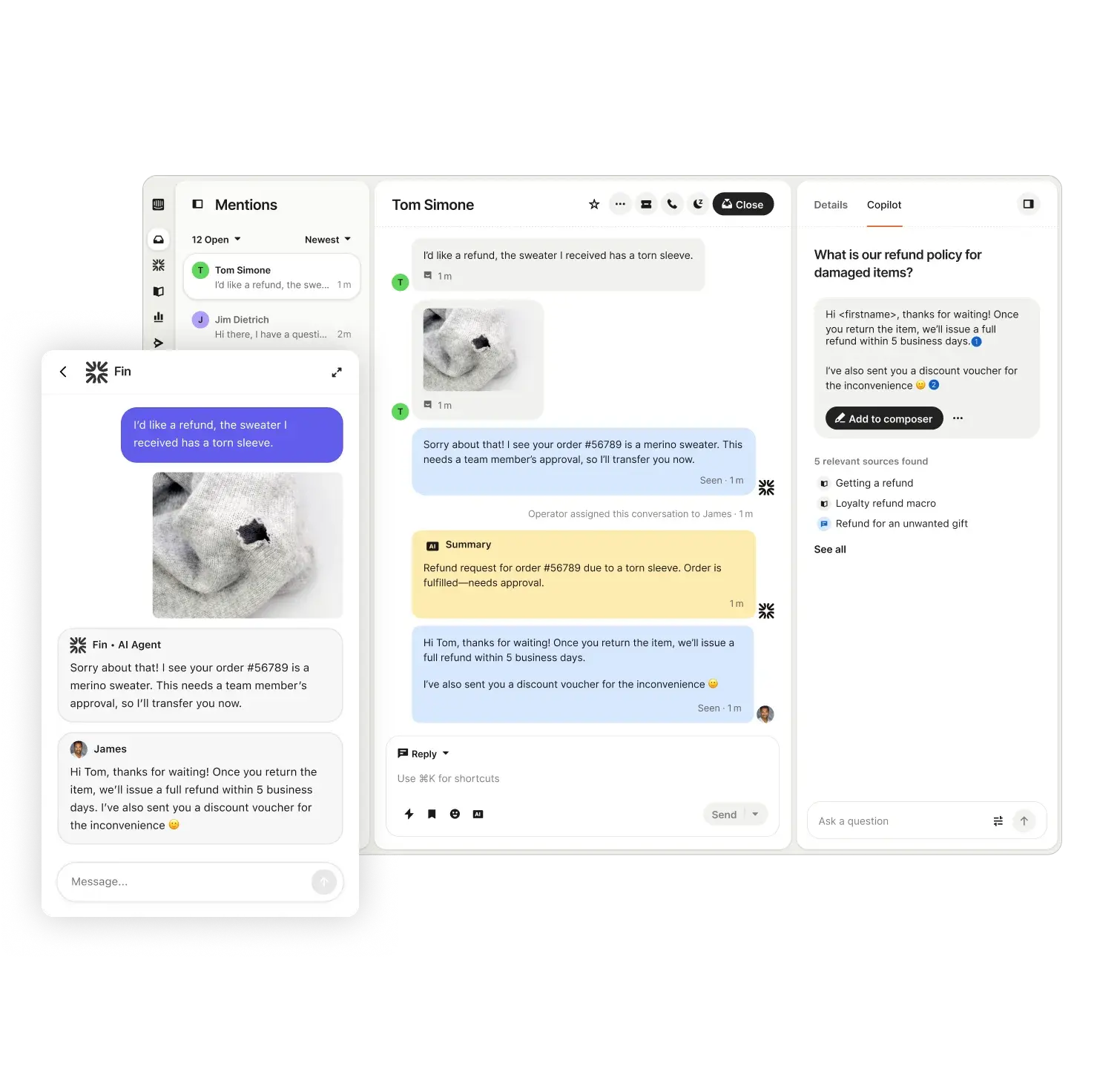
Intercom supports customer conversations that depend on real-time messaging. Live chat, automation, shared inboxes, and helpdesk tools are handled together so teams can manage conversations across apps, websites, and email.
CX Strengths
Intercom enables direct interaction with users inside products and websites. Shared visibility across teams helps agents respond with context and avoid restarting conversations.
Key Engagement Capabilities
- Live chat embedded in web and mobile experiences
- Automated bots for common questions and data collection
- User profiles and conversation history for context
- Reporting on response times and conversation outcomes
Best-Fit Use Cases
- SaaS and digital products with in-app support needs
- Teams focused on onboarding and user assistance
- Support teams handling real-time conversations
Quick Evaluation Pointers
- Channels: In-app messaging and chat form the core, with email as support
- AI: First responses are handled faster through automation and bots
- Scale: Designed for smaller teams and SaaS companies as they scale
- CX Focus: Conversation-driven user engagement
| Customer Testimonial |
| “It made our website an effective sales tool, We were able to capture and nurture leads on the spot instead of letting them slip through the cracks in week long email chains.” – Imogen R., Digital Marketing Specialist |
5. Braze
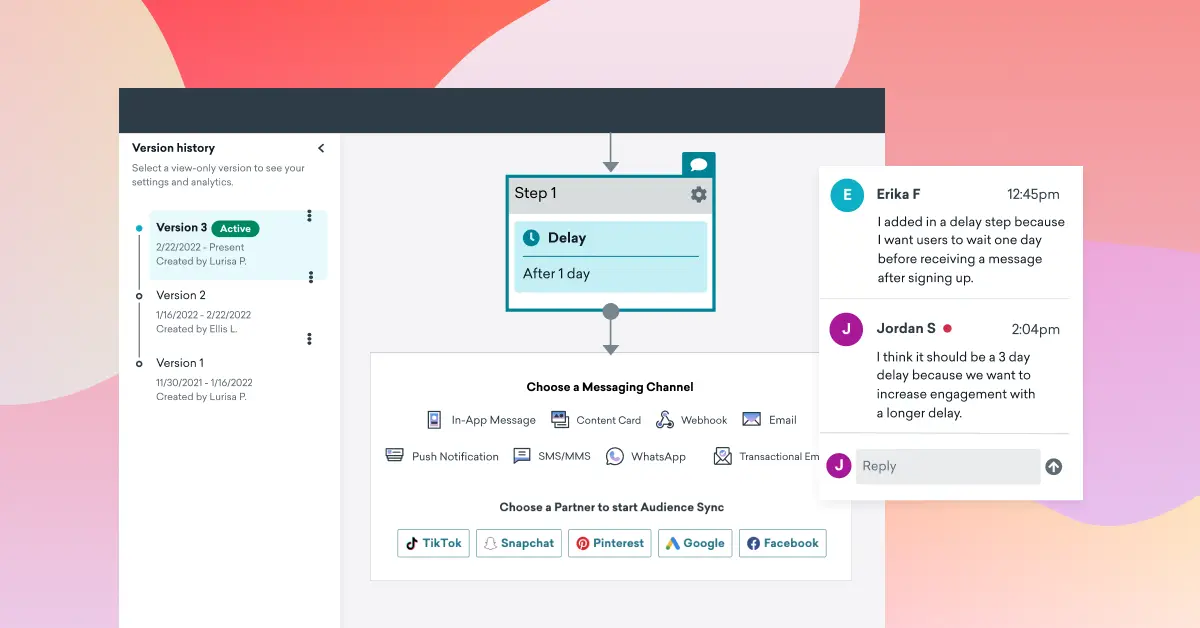
Braze connects customer behavior with engagement across channels. Teams manage email, push notifications, SMS, web messaging, and in-app communication from one system, which works well for consumer digital products.
CX Strengths
Braze stands out when engagement needs to follow user behavior closely. Actions like sign-ups, purchases, or drop-offs can trigger responses as they happen rather than running on fixed schedules.
Key Engagement Capabilities
- Journey orchestration tools for multi-step engagement flows
- Real-time segmentation based on behavior and attributes
- Dynamic content to personalize messages at the user level
- Integrations with data and analytics tools for richer context
Best-Fit Use Cases
- Consumer brands with large, active user bases
- Product and marketing teams focused on retention and lifecycle engagement
- Organizations running behavior-triggered campaigns at scale
Quick Evaluation Pointers
- Channels: Broad support across mobile, web, and messaging channels
- AI: Uses automation and data-driven logic to guide content and timing
- Scale: Well-suited for mid-sized and large enterprises
- CX Focus: Personalized engagement tied closely to customer behavior
| Customer Testimonial |
| “I love having access to a very advanced tool that allows me to create extremely fine segments. I can use different channels without necessarily knowing how to code, which is really convenient. There’s nothing better than Braze for segmenting my audience, and it really makes a difference when launching marketing campaigns in terms of engagement, retention, and conversion. The initial setup was very simple, and the support or account management team is very responsive.” – Pierre N. |
6. Zonka Feedback
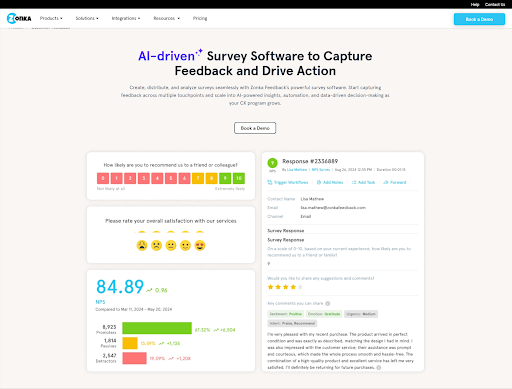
Zonka Feedback is a customer feedback and CX intelligence platform that connects feedback collection, AI analysis, and team-level action in one system. Instead of treating customer signals as standalone survey responses, Zonka brings together feedback from email, SMS, WhatsApp, web, in-app, and kiosks. Then it uses AI to surface what customers are actually saying and route it to the teams that need to act.
CX Strengths
Zonka goes beyond basic data collection to deliver actionable insights at scale. Its AI agents automatically analyze open text feedback by grouping themes, detecting sentiment, and linking insights to specific locations, agents, and services.
The right signals are routed instantly without any manual effort. Detractors are flagged in real time, cases are created automatically, and teams can move seamlessly from feedback to resolution so that nothing falls through the cracks.
Key Engagement Capabilities
- Feedback collection across email, SMS, WhatsApp, in-app, web, kiosks, and offline channels
- AI thematic analysis and sentiment scoring on open-text responses
- Role-based signals delivered to agents, managers, and CX leaders
- Centralized inbox with case management, routing, and automated follow-ups
- 50+ integrations including Salesforce, HubSpot, Kapture CX, and Intercom
Best-Fit Use Cases
- CX and support teams that need to understand what drives satisfaction, not just measure it
- Organizations managing feedback across locations, teams, and channels
- Teams building a closed-loop engagement system where every critical signal gets a response
Quick Evaluation Pointers
- Channels: Covers digital, frontline, and offline feedback channels
- AI: AI agents surface themes, sentiment, churn risk, and anomalies
- Scale: Works from early-stage CX programs to multi-location enterprise deployments
- CX Focus: Closing the full loop from collection to intelligence to action
| Customer Testimonial |
| “We like the fact that the system is easy to use in terms of its interface; it’s pretty intuitive to design and build surveys. Another thing we really like about the system is that it integrates well with other platforms; we use Zendesk, and Zonka is able to integrate very successfully with it. The AI technology in Zonka is also impressive, particularly the sentiment analysis that you can use to create different rules for surveys.” – Colin C. |
7. Customer.io
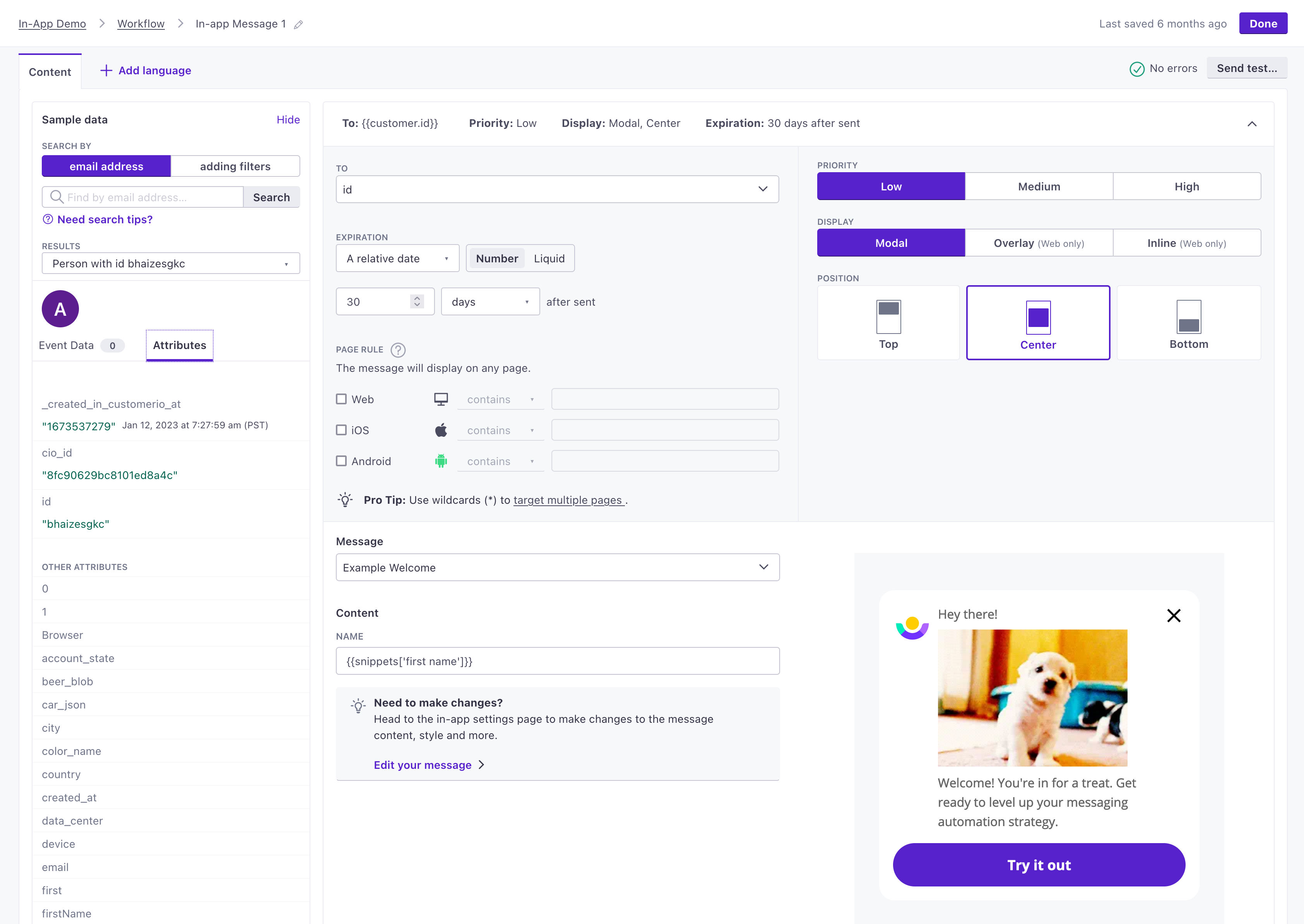
Customer.io is built for teams that want control over behavior-driven messaging. Data from apps and websites feeds into email, SMS, and push notifications to support personalized communication.
CX Strengths
Teams can decide exactly what triggers a message and when it goes out. This helps keep communication aligned with actual user behavior and suits teams that want simple, well-defined workflows.
Key Engagement Capabilities
- Behavior-based audience segmentation
- Visual workflow builder for automated journeys
- Event tracking tied to product and user activity
- Reporting to measure message delivery and engagement
Best-Fit Use Cases
- Product-led businesses focused on onboarding and retention
- Growth teams running behavior-triggered engagement programs
- Organizations that want detailed control over automation rules
Quick Evaluation Pointers
- Channels: Supports email, SMS, and push notifications
- AI: Primarily rule-based automation rather than advanced AI features
- Scale: Fits small to mid-sized teams and growing digital products
- CX Focus: Clear, behavior-driven messaging and automation
| Customer Testimonial |
| “I like that Customer.io is multichannel and allows us to personalize the information. Additionally, it offers advanced segmentation and very deep personalization, which is great for our needs.” – Omaira M. |
8. HubSpot
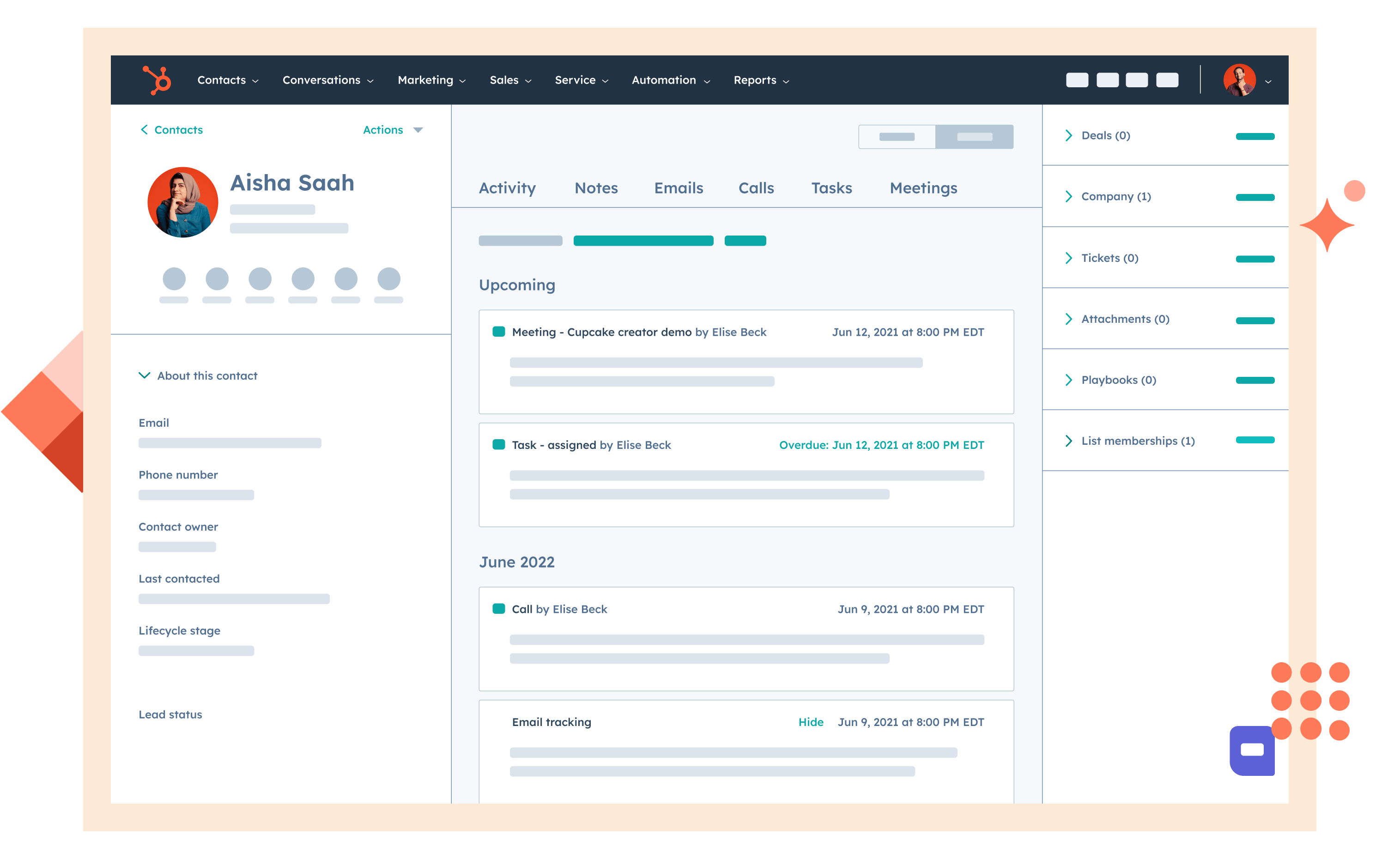
HubSpot combines CRM, marketing, sales, and service tools into one platform.
Through a shared client database, teams may access contact information, interaction history, and activity statistics.Through live chat, email, tickets, and automatic follow-ups, the Service Hub and Marketing Hub facilitate continuous connection.
CX Advantages
The support team and the marketing team and the sales team share the same customer information which enables them to work together without creating communication problems or repeating each other’s work. The team that handles customer interactions uses the same information to provide continuous contact with customers.
Key Engagement Capabilities
- Central CRM that keeps track of client interactions and history
- Real-time interaction using chatbots and live chat
- Workflows for ticketing and customer service
- Email automation and follow-ups tied to CRM data
Best-Fit Use Cases
- Small to mid-sized organizations looking for one platform across teams
- Businesses who desire context sharing between marketing, sales, and services
- Teams managing both outbound engagement and incoming support
Quick Evaluation Pointers
- Channels: Chat, email, CRM-based communication, and service tickets
- AI: AI-assisted tools for automation, content, and workflows
- Scale: Suitable for growing teams and expanding operations
- CX Focus: Consistent engagement through shared customer data
| Customer Testimonial |
| “HubSpot is strongly adopted meaning a large user base. It’s intuitive and feels like the gold standard. It’s reliable. There are tons of great integrations for it too!” – Verified User in Biotechnology |
9. CleverTap
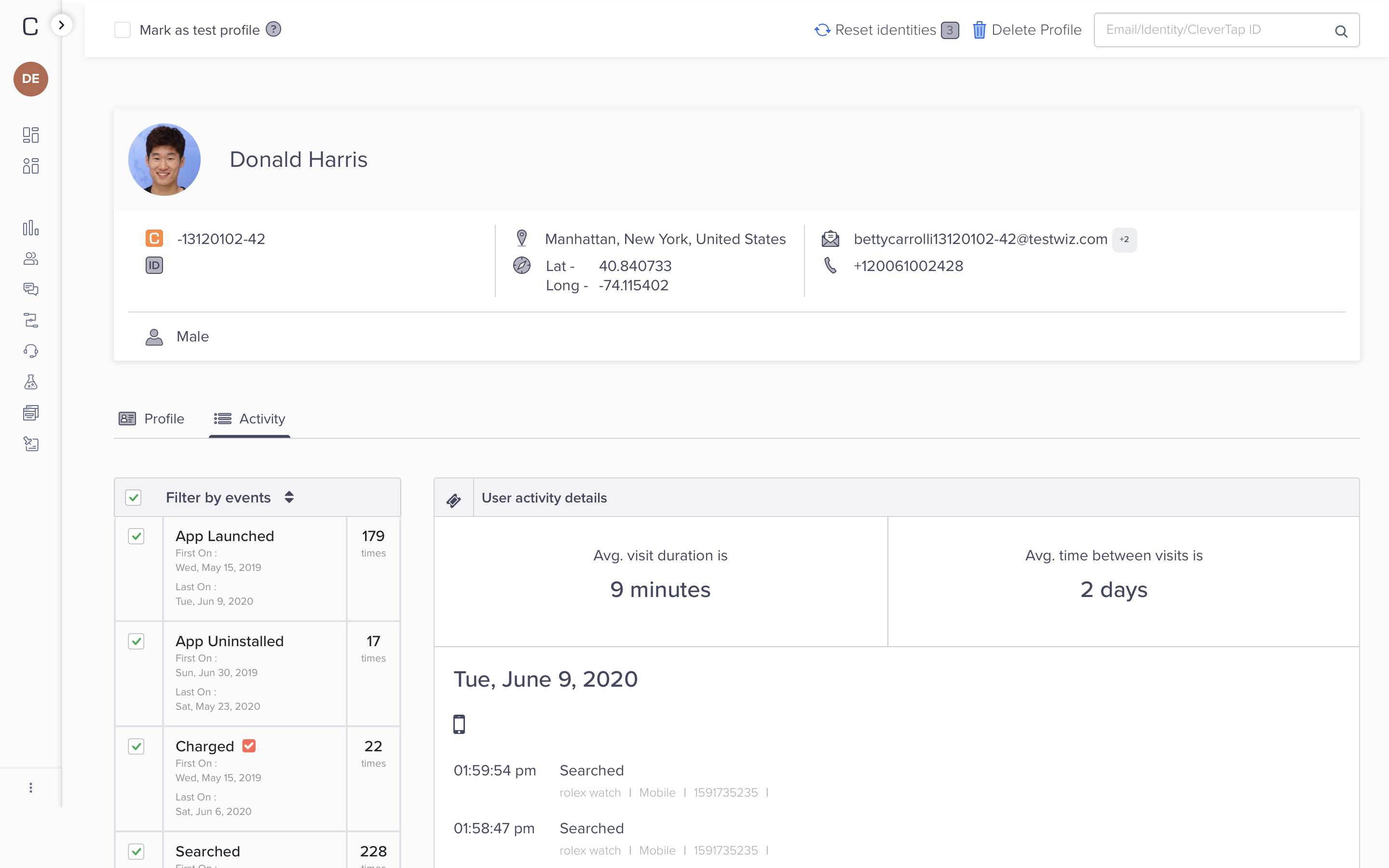
CleverTap is a customer engagement platform built around behavioral data and personalization. The system collects real-time application signals to deliver personalized message content through push notifications and in-app messages and email and SMS and web channels.
CX Advantages
When engagement needs to react fast to user action, CleverTap works well. Teams can create audience segments which enable them to study user interactions with their product and adjust their marketing strategies according to changes in user behavior. The system enables users to interact based on their actual usage patterns.
Key Engagement Capabilities
- Real-time behavioral segmentation that updates automatically
- Campaign orchestration across multiple channels
- Predictive insights to identify at-risk or high-value users
- Lifecycle messaging for onboarding, retention, and re-engagement
Best-Fit Use Cases
- Mobile apps and digital products with frequent user activity
- Marketing and product teams focused on retention and usage
- Organizations that want engagement tied closely to behavior
Quick Evaluation Pointers
- Channels: Broad support across mobile and web messaging
- AI: Predictive insights and behavior-based intelligence
- Scale: Well-suited for mid-sized to large consumer platforms
- CX Focus: Engagement driven by real-time user behavior
| Customer Testimonial |
| “Best CRM for mobile marketing, great UI and UX” – Vaivhav K. |
10. Iterable
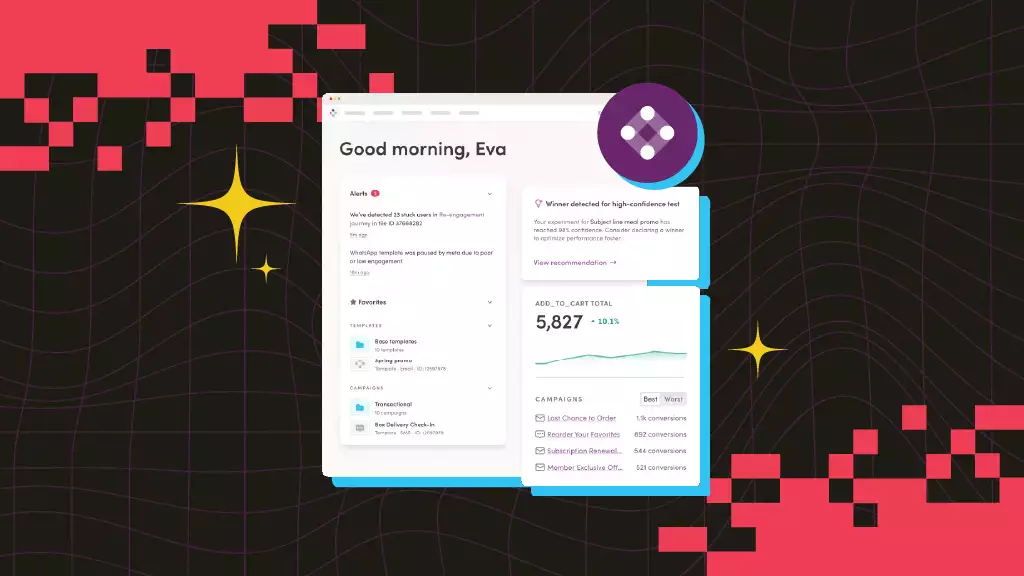
Iterable is used for campaigns that span multiple channels. The system uses one platform to manage email and SMS and push notifications and in-app messages and web communications while using customer information to make business decisions.
CX Strengths
Iterable works well for teams that want flexibility without making workflows harder to manage. Visual tools help teams design and update engagement flows, while real-time data keeps messages aligned with how customers behave.
Key Engagement Capabilities
- Visual journey and campaign builders
- Real-time audience segmentation and data ingestion
- Automated workflows for lifecycle and event-based messaging
- Analytics and reporting to track engagement performance
Best-Fit Use Cases
- Teams from marketing and growth are managing multi-channel campaigns.
- Businesses in charge of re-engagement, retention, and onboarding processes
- Teams that want control over journeys without heavy technical setup
Quick Evaluation Pointers
- Channels: Broad support across core digital messaging channels
- AI: Uses data-driven logic and automation to guide messaging
- Scale: Suitable for mid-sized to large engagement programs
- CX Focus: Flexible, personalized communication across journeys
| Customer Testimonial |
| “Fairly robust platform for lifecycle marketing. We’re using it for push, email, transactional, and in-app messages. Support is good. We were able to get up and running inside of 1 month” – Verified User in Marketing and Advertising |
Why Customer Engagement Software Is Essential for Modern Customer Service
Spreading conversations and workflows across tools slows service teams down. Keeping them in one place helps teams stay oriented.
Once chat, email, and messaging live in different systems, context is harder to track. Agents spend time digging, and customers end up restating the same problem. Engagement software reduces this friction by unifying interactions and keeping past conversations visible at the moment of response.
This shift is well underway. Research shows that more than 70% of enterprises are investing in modern customer service solutions to reduce tool sprawl and improve productivity for service teams.
There are a few capabilities that matter most when evaluating engagement software for customer service.
- Omnichannel support brings conversations into one view even when channels change
- Workflow automation handles common steps like routing and follow-ups automatically
- Customer context and profiles keep past issues and recent activity visible while responding
- Analytics and reporting reveal response patterns and repeat problems over time
- Integrations with CRM and internal systems keep customer data linked
Key Evaluation Pointers for Customer Engagement Software
The best customer engagement platform delivers value when teams focus on how it will be used in daily work. The sections below cover areas that tend to matter most after rollout, especially for customer service and CX teams.
1. Channel Coverage and Conversation Continuity
The platform should bring all supported channels into one workspace and keep conversation history intact across them. Agents need to see earlier messages from chat, email, or messaging apps without jumping between screens. This continuity limits repetition and helps conversations progress more naturally.
2. Automation That Reduces Work Without Losing Control
Automation should handle routing, basic replies, and follow-ups, while letting agents step in easily. Flexible workflows help teams adjust as service patterns shift.
3. Customer Context and Data Access
Review how the platform surfaces customer data from CRM systems, order tools, or product platforms. Key details should appear during the conversation, not behind extra clicks. Clear access to context supports faster and more confident responses.
4. Analytics That Support Decisions
Counts only show so much. Response time, resolution quality, channel trends, repeat issues. These are the signals that help teams find gaps, adjust processes, and refine automation over time.
5. Usability and Team Adoption
Look closely at how daily work feels. Setup, configuration, and routine tasks should make sense right away so teams are not slowed down by training.
6. Scalability and Long-Term Fit
Plan for higher interaction volumes, added channels, more teams, and regional growth. Customer engagement software should scale without constant redesigns or tool changes, so it remains effective as service needs change.
What’s Next: Trends Shaping Customer Engagement Software
Customer engagement software continues to change as service teams deal with higher volumes, more channels, and rising customer expectations.
The following trends show how platforms are changing and where engagement tools will go in the coming years:
1. Real-Time Customer Signals Driving Engagement
Live signals such as recent actions and active conversations help teams respond more accurately. This improves routing and messaging while reducing responses that feel out of sync.
2. AI Embedded Into Everyday Service Workflows
AI is now embedded into common service tasks like summarization, reply assistance, routing, and basic question handling. The focus is on reducing repetitive work, not replacing agents.
3. Personalization That Scales Across Channels
Platforms use behavior and interaction history to guide responses across chat, email, and messaging. This supports consistency without manual customization.
4. Stronger Focus on Data Privacy and Governance
More focus is being placed on permission management, data access, and regulatory compliance. Teams expect engagement tools to handle this without slowing service.
5. Unified Journeys Across Teams and Touchpoints
Customer interactions feed into a single record instead of separate systems. This reduces silos and supports consistent responses across teams.
At Kapture, we see these changes show up every day in teams handling large volumes of customer conversations. Kapture CX is designed for service teams that need shared context, practical automation, and workflows that reflect how work actually gets done.
To see this in action, you can book a personalized demo of Kapture CX and review how it would work within your current service setup.
FAQs
Multi-channel conversations are common. Customer engagement software helps teams see related messages together instead of working across separate tools. It keeps earlier messages and basic customer details in view while someone replies.
A CRM is where customer records usually live. It is used for tracking accounts and sales activity over time. Customer engagement software is used while conversations are happening, with routing and service workflows in the foreground. Many teams connect the two, but they are not doing the same job.
AI is not the foundation of every platform, but most include some form of automation. This often shows up as routing rules, reply suggestions, or simple bots. In more advanced setups, AI supports agents by reducing manual work instead of replacing human involvement.
Yes. When context is easy to see, agents move faster and customers are not forced to start over. That difference adds up to more consistent service over time.











2 thoughts on “10 Best Customer Engagement Platforms for 2026”
Comments are closed.