
As of 2026, the shift to the cloud has reached a critical tipping point, with small and medium-sized businesses now allocating over 50% of their total technology budgets to cloud services. Furthermore, 70% of organizations have adopted a ‘cloud-default’ strategy for all new initiatives, indicating a decisive preference for quick, flexible, and AI-ready infrastructure that can scale without the burden of legacy systems.
A team that wants a platform that can be implemented quickly and requires minimal time to learn the system or extensive IT support typically chooses Freshdesk. The user interface is so intuitive that most small and mid-sized companies adopt it with little resistance and begin providing support almost immediately.
Conversely, on the other end of the range lies Salesforce Service Cloud, now called Agentforce Service. This product is intended for businesses that require more sophisticated visibility and comprehensive customer data management.
By connecting directly to the broader Salesforce ecosystem, it becomes a powerful hub for businesses managing high volumes of customer interactions across multiple channels.
Both platforms are strong in different ways. The real question is which one aligns more closely with the customer experience standards and operational complexity you are aiming to support.
Freshdesk vs Salesforce Service Cloud: A Quick Snapshot for CX Leaders
Freshdesk is primarily intended for groups that prefer a hot support platform with minimal IT involvement; it is also easy to use and quick to onboard. Simple as it gets indeed.
Moreover, the price remains affordable for growing teams. It is suitable for companies that prioritise rapid adoption and a clean, uncomplicated agent experience.
Salesforce Service Cloud is built for organizations that need deeper customization and unified customer data across departments. It is perfect for teams getting more tickets and having multi-channel engagement.
Its strong automation and CRM foundation enable the enterprise to create customer journeys that are fully connected and scalable as business needs change.
Quick Summary
| Feature | Freshdesk | Salesforce Service Cloud |
|---|---|---|
| Plan Types | Free + tiered paid plans | Enterprise-grade tiered plans |
| Suitable Company Size | Small to mid-sized teams | Mid-sized to large enterprises |
| Deployment Speed | Fast setup, minimal IT | Longer setup, configuration-heavy |
| Ecosystem | Standalone help desk | Full CRM suite with deep integrations |
Freshdesk vs Salesforce Service Cloud: Feature-by-Feature Comparison
Take a look at the in-depth comparison of the most important features of both the platforms:
1. Ticketing and Multichannel Support
- Freshdesk makes ticket management feel straightforward from the start. Email, chat, phone, web forms, and social channels funnel into a clean, unified dashboard. Agents get collision detection, canned responses, and easy collaboration features that help smaller teams work efficiently without heavy configuration.
- Service Cloud’s case management is more sophisticated. It handles advanced routing rules and high-volume queues with ease. Omni-channel routing, CTI integrations, and multi-department participation make it ideal for companies that manage a wide customer-service footprint.
2. AI and Automation
- Freddy AI simplifies common support tasks, such as ticket classification and routine action triggers. It’s designed to enable non-technical teams to use AI meaningfully without setting up a large-scale automation framework.
- Salesforce’s AI capabilities go much further. Predictive routing, automated recommendations, and detailed workflow automation create a highly proactive support environment.
3. CRM Integration and Ecosystem Strength
- Freshdesk functions well as a stand-alone help desk and integrates easily with well-known tools. Teams that want access to dependable integrations but don’t require an all-in-one CRM ecosystem will find it to be a good fit.
- Salesforce is unique in this regard. Support teams use the same customer records as sales and marketing because Service Cloud is part of a full CRM suite. Businesses that rely significantly on consolidated consumer data will find it ideal.
4. Customization and Reporting
- Reporting is easy to set up and understand, with helpful dashboards and prebuilt templates. Customization options cover most everyday needs without requiring development resources.
- Service Cloud offers deep customization from workflows to objects to dashboards. It can scale to even the most complex operations, though it often requires more time and expertise to configure.
Quick Summary of Features
| Feature | Freshdesk | Salesforce Service Cloud |
|---|---|---|
| Ticketing and Multichannel | Simple, ready on day one | Highly configurable, enterprise-level |
| AI and Automation | Practical, easy-to-use AI | Advanced AI with predictive capabilities |
| CRM Integration | Works well as standalone | Fully embedded in Salesforce CRM |
| Customization | Moderate, user-friendly | Extensive, developer-friendly |
| Best For | Fast deployment, SMBs | Complex workflows, larger organizations |
Ease of Use and Implementation: Getting Freshdesk vs Salesforce Cloud Live for Your CX Team
Freshdesk is intentionally designed for rapid adoption with minimal technical lift. Its interface consistently scores highly in ease-of-use and setup metrics.
Agents can be productive within hours because Freshdesk avoids deeply nested configuration screens and doesn’t require code or developer intervention to enable common features such as SLA rules or email automation.
Salesforce Service Cloud setup involves multiple steps, such as defining objects, building automation flows in Flow Builder, configuring omnichannel routing, and customising the Service Console layout. Users also note that the Lightning UI, while powerful, can present too many panels and options for agents who want a clean ticketing screen.
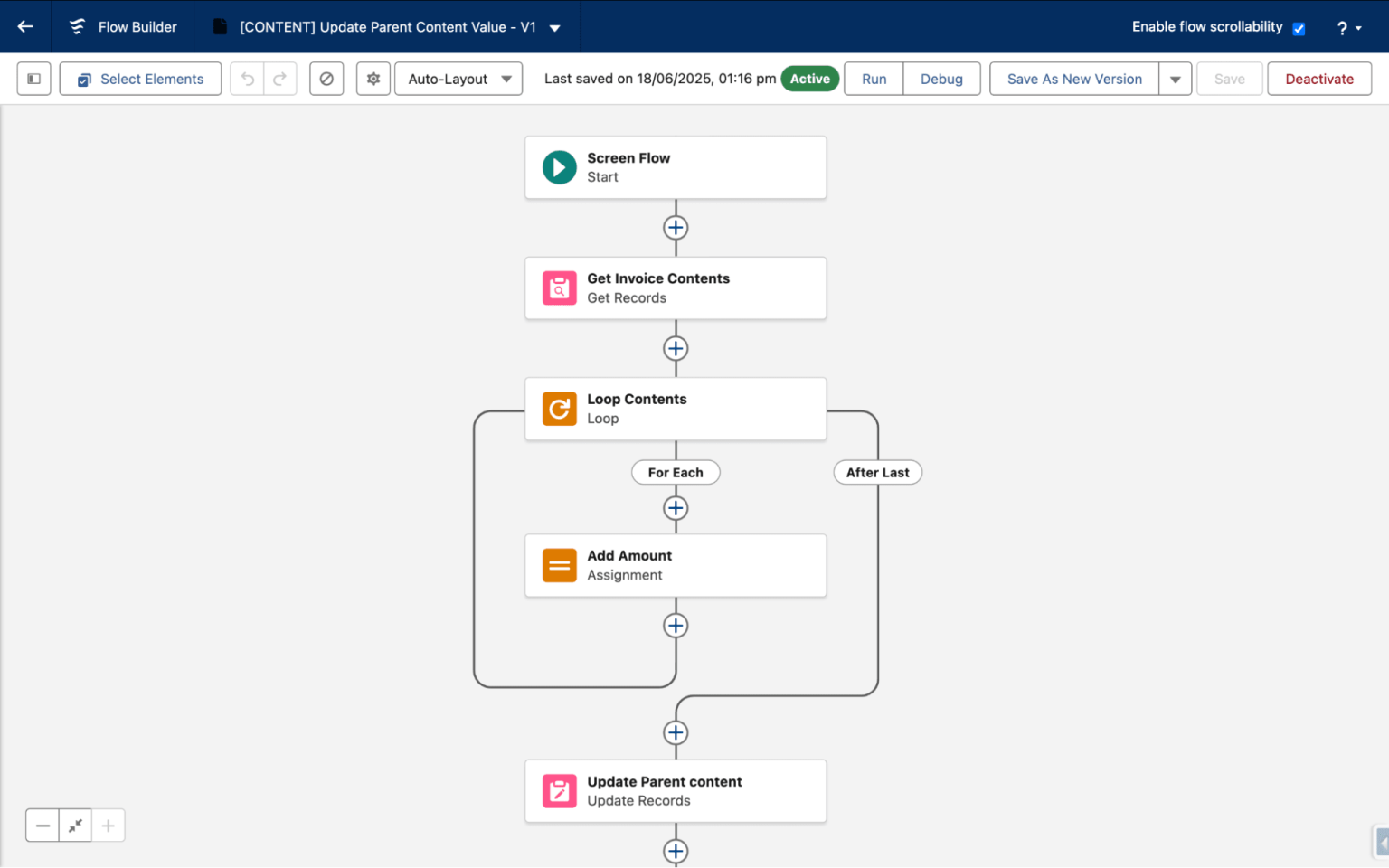
Companies with existing Salesforce CRM implementations have a head start but new deployments definitely require specialized admin skills to align Service Cloud with internal processes. Even seemingly small configurations, such as custom case assignment logic, can require work in Salesforce’s Flow Builder, which has a learning curve for non-technical admins.
In practice, Freshdesk shines in quick adoption and low admin overhead. Salesforce Service Cloud offers deep configurability but requires structured planning and administrative expertise to go live with your CX workflows.
AI, Automation, and Advanced CX Capabilities: Freshdesk vs Salesforce Service
Freshdesk’s AI center is Freddy AI, a suite built directly into the help desk that helps teams automate routine support work without heavy customization.
Freddy AI delivers real-time suggestions for responses and automates triage of incoming tickets. It further analyzes sentiment to flag urgent issues.
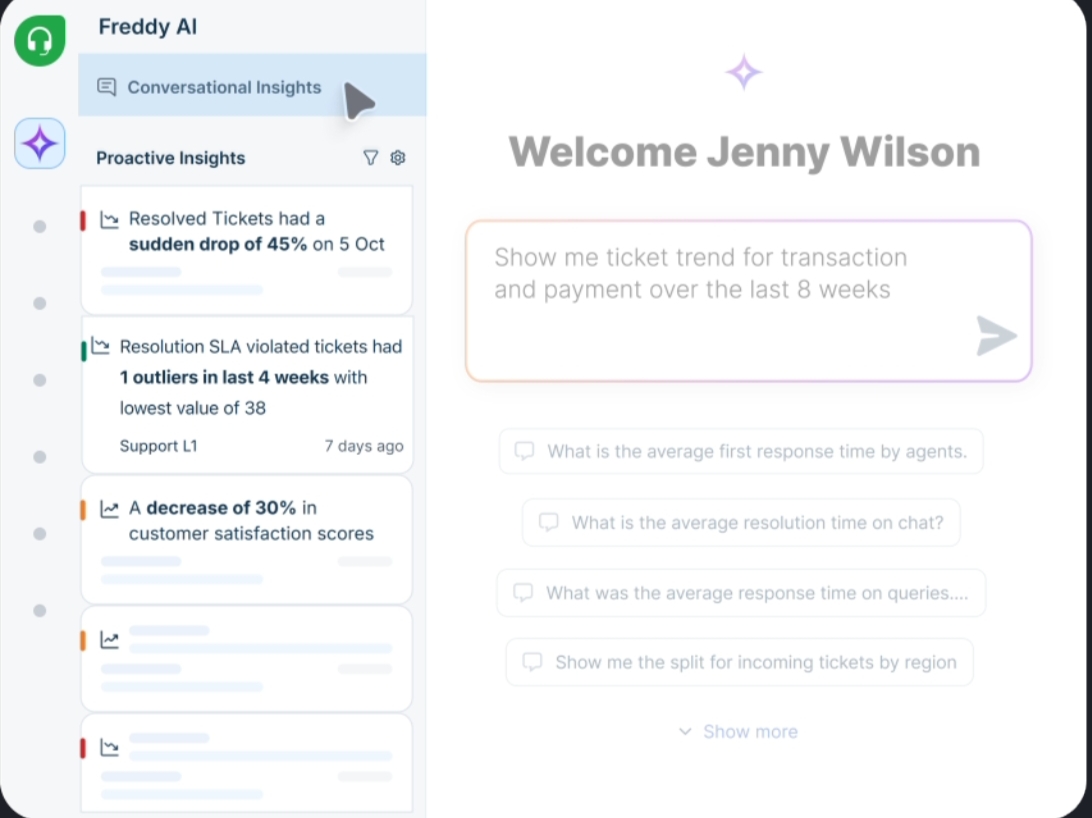
The Freddy AI Copilot even drafts responses, summarizes long threads, and can trigger single-click actions like refunds or task logging right from the agent’s workspace.
Freddy AI Insights adds visibility into trends and workload to help leaders spot bottlenecks faster. Unlike many external AI tools, Freddy is unified and configured within Freshdesk’s platform.
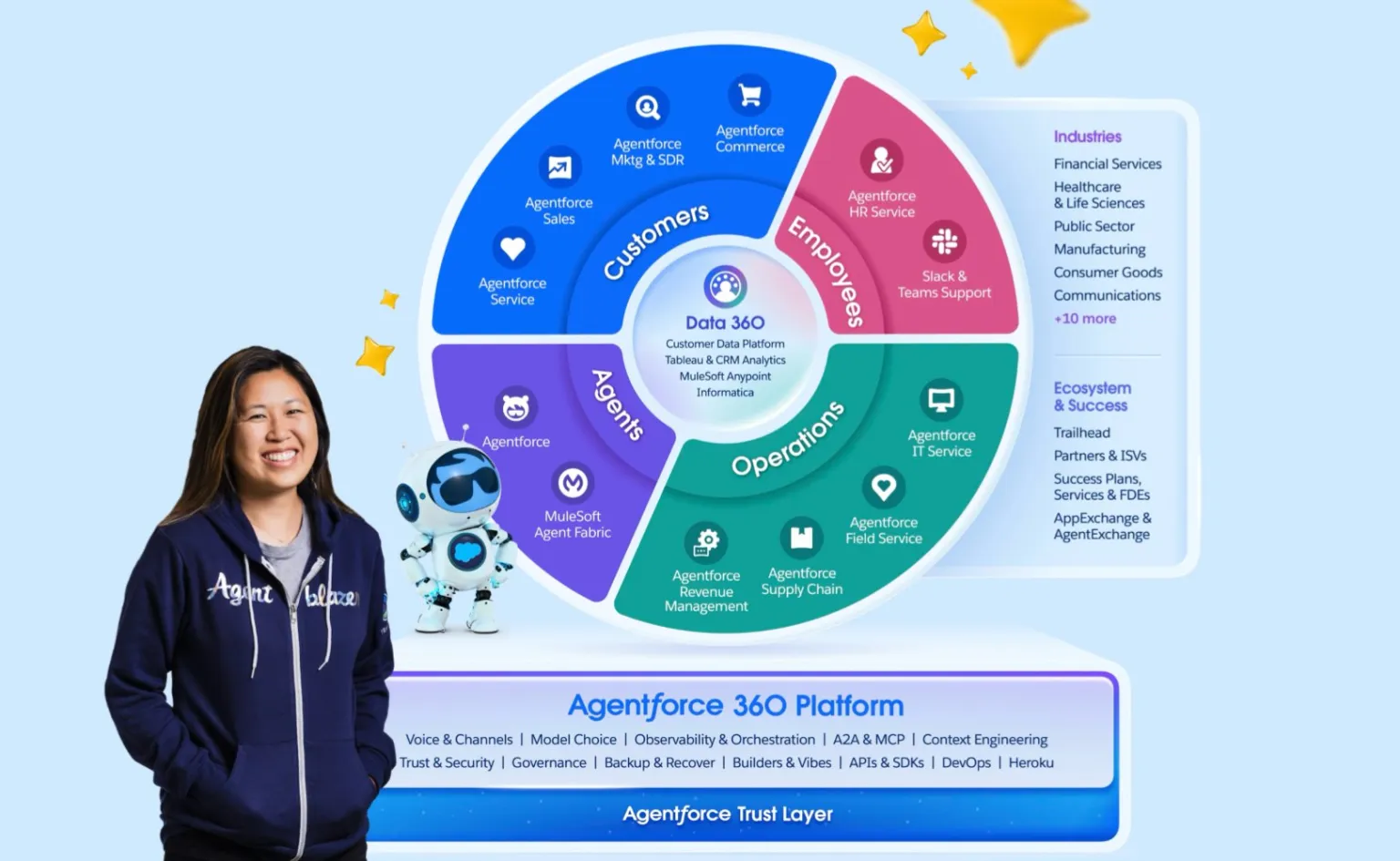
Service Cloud’s AI capabilities are powered by Einstein and the newer Agentforce 360 layer, which are far more wide-ranging and data-intensive. Einstein grows smarter as it ingests interaction patterns and prioritizes cases based on predicted urgency.
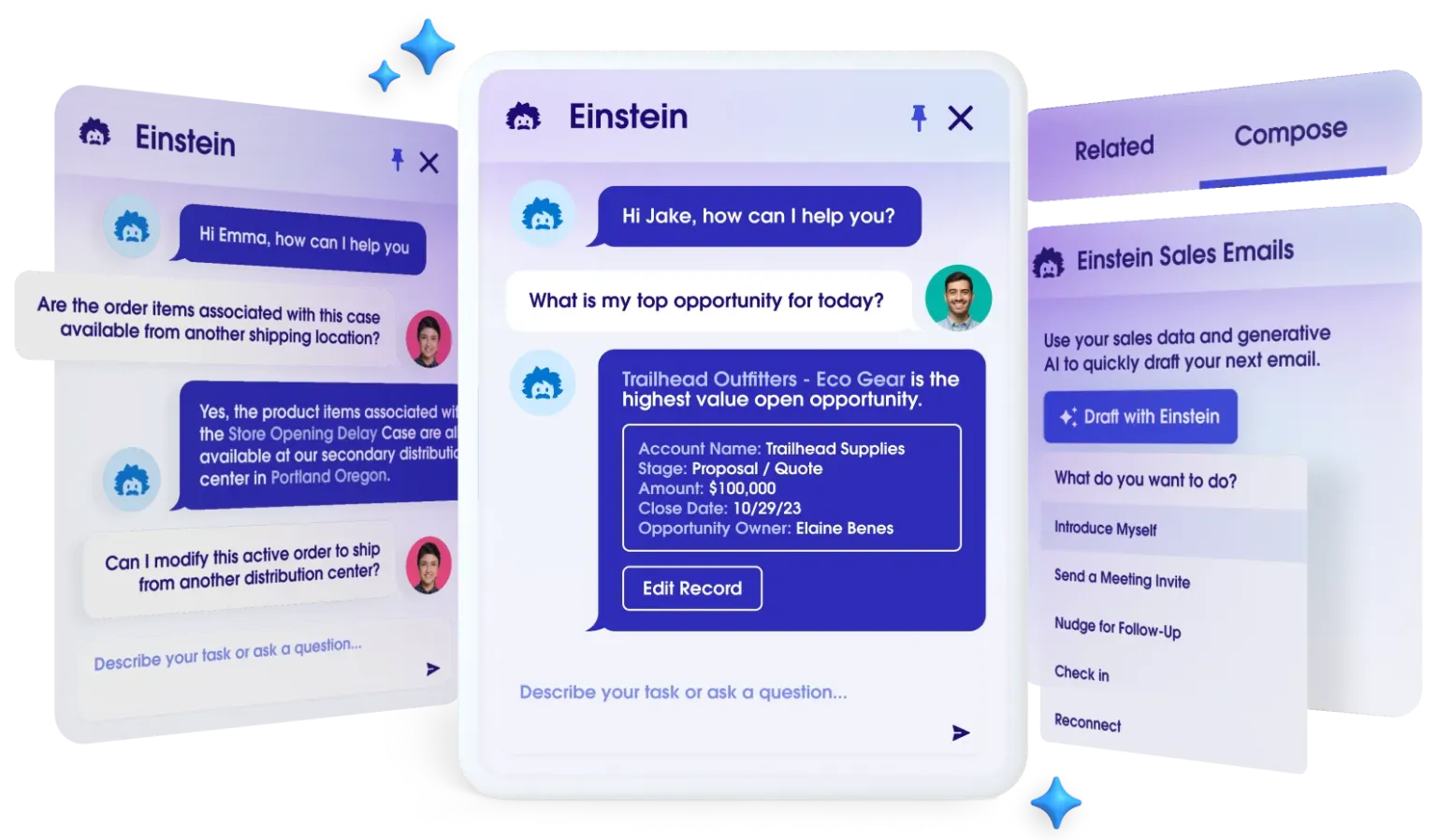
Businesses can use Einstein Bots for cross-channel self-service. Conversational AI can be immediately included into workflows to divert common questions and provide agents with insights. The Agentforce 360 platform takes this further by enabling autonomous AI agents that automate entire tasks and integrate with external systems.
Integrations and Ecosystem: How Freshdesk and Salesforce Fit Into Your CX Stack?
Given below is a breakdown of how each platform connects with other tools and where they sit in a modern customer-experience stack:
1. Freshdesk Integrations and Ecosystem
Instead of serving as a complete CX backbone, Freshdesk is designed to function as a flexible support layer. The majority of the more than 1,000 prebuilt integrations in its marketplace, which span common tools like Slack, Microsoft Teams, Shopify, and Jira, may be enabled straight from the admin console.
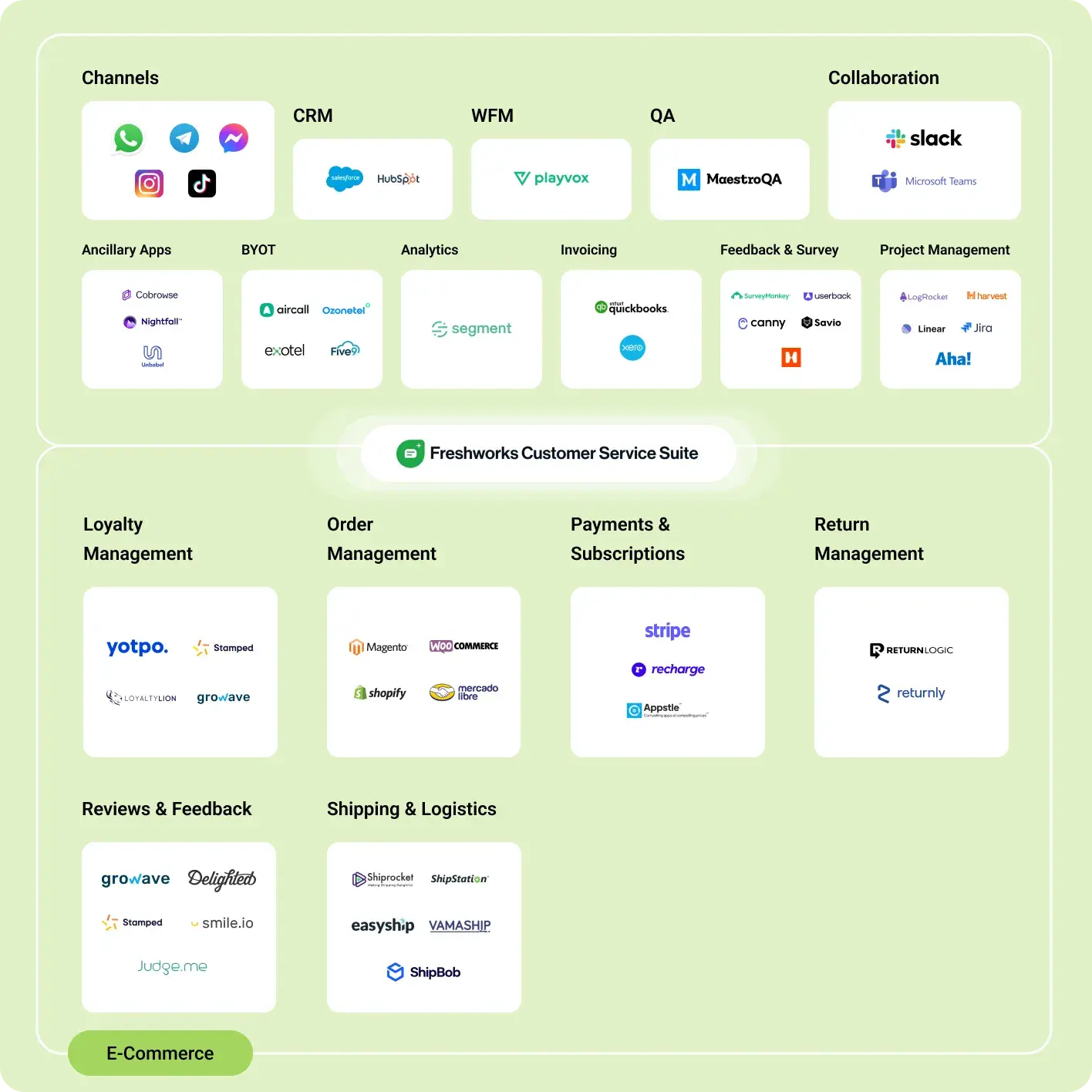
Low-code method makes it simple for teams to integrate Freshdesk with analytics and CRM applications by utilizing automation platforms like Zapier.
In order to evaluate support data alongside product or revenue metrics without re-architecting the stack, Freshdesk also facilitates data sync into external warehouses using tools like Stitch or Integrate.io.
2. Salesforce Service Cloud Integrations and Ecosystem
Within a closely linked CRM environment, Salesforce Service Cloud operates. Service Cloud, Sales Cloud, Marketing Cloud, Slack, and analytics tools all naturally exchange customer data.
External connectors are no longer required. With thousands of approved connectors for labor management, messaging, industry-specific use cases, and more, AppExchange expands this ecosystem. Custom, enterprise-grade integrations are made possible for complicated environments by Salesforce’s APIs and MuleSoft-based orchestration.
Freshdesk vs Salesforce Experience Cloud: Portals, Communities, and Self-Service CX
When comparing Freshdesk vs Salesforce Experience Cloud, the real difference lies in how far you want self-service to go, simple support portals versus fully connected digital communities.
Freshdesk: Practical Self-Service Portals
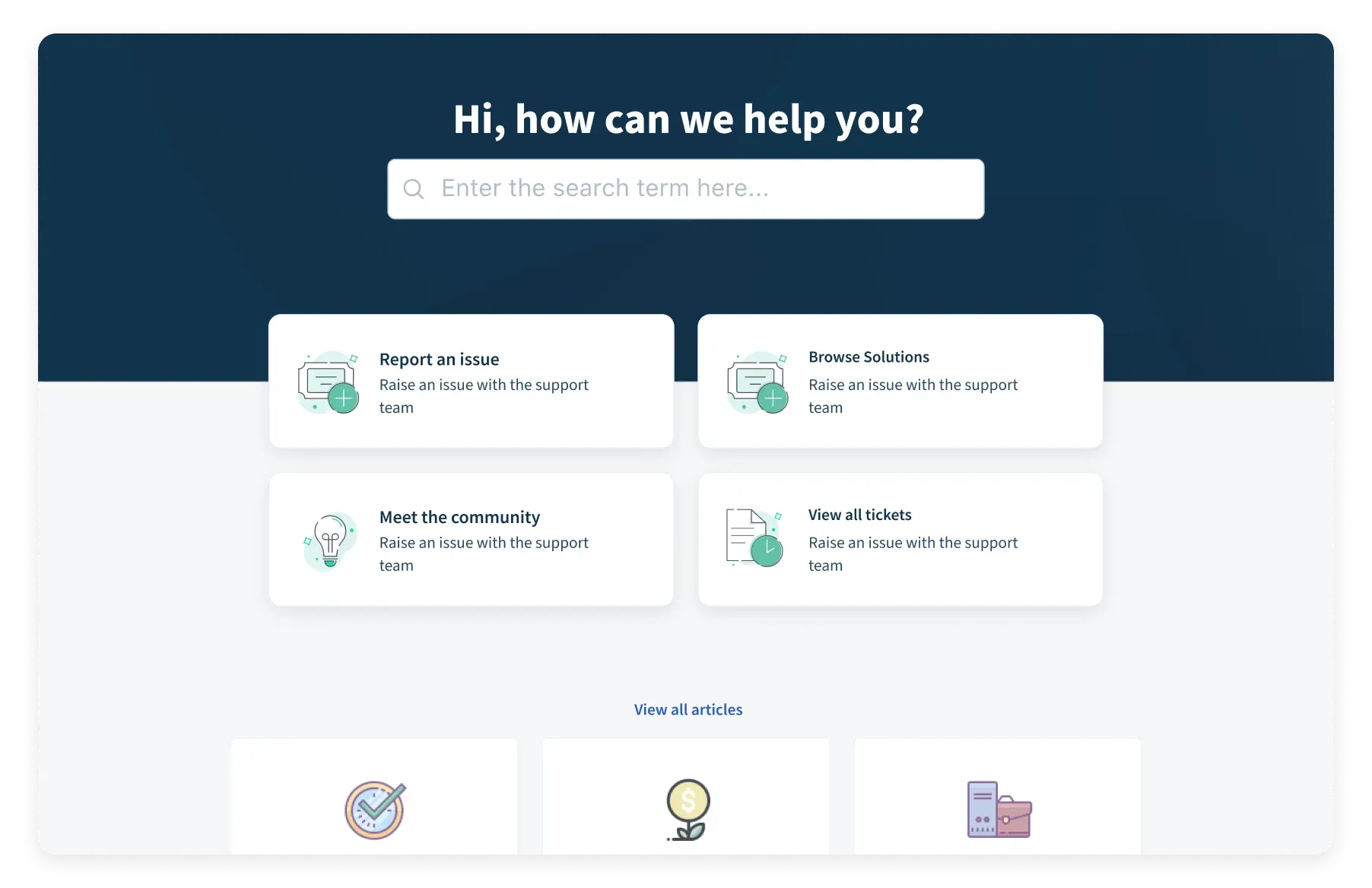
Freshdesk provides integrated customer portals that are mostly intended for assistance. Under a branded domain, these portals let users submit and monitor tickets, look through FAQs, and search a knowledge base.
SaaS or multi-product firms can benefit from teams’ ability to construct several portals for various products or customer segments. Customization keeps setup quick and upkeep minimal by concentrating on themes and access controls.
Salesforce Experience Cloud: CRM-Driven Communities
Salesforce Experience Cloud is a broader experience platform. It supports customer communities and branded service sites that pull directly from Salesforce CRM data.
Apart from ticket deflection, it enables personalized content, case visibility, peer-to-peer discussions, and data-driven self-service journeys. Templates and builders further speed up launch.
Freshdesk vs Salesforce: Pricing and Value for Money
Here is a side-by-side comparison of the pricing plans offered by both platforms:
| Freshdesk | Salesforce Service Cloud | |
|---|---|---|
| Free Plan | Yes, it includes basic ticketing, knowledge base, and reporting for a small number of users | No free tier; only free trials available |
| Entry Tier | Growth: $15 per agent/month (billed annually) | $500 per 100,000 credits, pay per action as usage scales. Or $2 per conversation, pay as volume increases. |
| Core Paid Plans | Pro: $49/agent; Enterprise: $79/agent | – |
| Billing Structure | Per agent per month | Pay per action or conversation |
| Included Value | Core ticketing, automation, knowledge base, workflows at lower cost | Agent Wizard, Agent Builder, Prompt Builder, prebuilt templates and actions |
| Typical ROI Value | Higher for lean support teams with limited workflows | Higher for large teams with fluctuating AI and automation needs |
Measuring CX Success: Reporting, Dashboards, and Insights in Freshdesk vs Salesforce
Both platforms offer strong reporting, but they serve different types of CX decision-making once you look past surface-level metrics.
Freshdesk Reporting and Insights
- Pre-made CX metrics: Core reports, which don’t require setup or configuration, cover ticket volume, response and resolution times, SLA compliance, and CSAT.
- Real-time operational dashboards: Team leads may more easily identify queue backlogs or SLA threats as they arise thanks to dashboards that update in real time.
- Flexible filters and views: Managers can monitor performance trends without exporting data by slicing reports by agent, group, channel, time period, etc.
Salesforce Service Cloud Reporting
- Highly adjustable reporting: Salesforce’s report builder has logic that can replicate intricate service workflows and allows in-depth case and queue analysis.
- AI-driven service intelligence: Trends, forecasts, and role-based insights are revealed by advanced analytics.
- Cross-team visibility: To gain a more comprehensive understanding of how support affects the company, service data can be examined in conjunction with sales, marketing, or product data.
Pros and Cons for CX Teams: Freshdesk vs Salesforce at a Glance
In the following section, we weigh the strengths of both Freshdesk and Salesforce Service Cloud against their trade-offs to provide a clearer picture of their strengths and limitations:
Freshdesk
| Pros | Cons |
|---|---|
| Quick to set up and easy for agents to adopt | Limited depth for highly complex workflows |
| Clear pricing with a free entry tier | Advanced customization options are narrower |
| Strong out-of-the-box ticketing and automation | Reporting depth is lighter than enterprise tools |
| Works well as a standalone help desk | Less suitable for CRM-centric service models |
Salesforce Service Cloud
| Pros | Cons |
|---|---|
| Deep CRM integration and customization | Longer implementation and setup time |
| Powerful automation and AI capabilities | Higher total cost of ownership |
| Scales well for large, complex teams | Requires skilled admins or partners |
| Strong cross-team data visibility | Can feel heavy for simple support needs |
Choose Between Freshdesk and Salesforce for Your CX Strategy Now!
If your CX team needs to get up and running quickly, Freshdesk is usually the more comfortable choice. It keeps support workflows simple, doesn’t demand constant admin attention, and makes it easy for agents to stay productive from day one.
Salesforce Service Cloud is a different commitment. It’s better suited to organizations where customer support is tightly connected to sales and long-term customer data. That depth comes with added cost and complexity.
In the end, the decision comes down to how much structure your CX operation truly needs and how much time and budget you’re willing to invest to support it.
Make your support ecosystem work as one. With Kapture CX’s custom integrations, your tools stay connected, and your teams stay focused on customers.
Book a custom demo today to learn more!
FAQs
Yes, some organizations run Freshdesk as the frontline support tool while keeping Salesforce as the system of record for customer data. This setup works well when teams want a lighter agent experience but still need customer information synced back to Salesforce for reporting or account management.
Freshdesk is easier to standardize across regions because of its consistent UI and simpler admin model. Salesforce offers greater control over region-specific workflows and localized experiences, but this often requires dedicated admin oversight to manage variations at scale.
Freshdesk enables gradual growth without imposing major structural changes. On the other hand, Salesforce Service Cloud and Experience Cloud are better suited for companies that anticipate CX evolving into a closely integrated, data-driven function.